EasyManua.ls Logo

AcuRite 13020 - User Manual

AcuRite 13020
16 pages
Print Icon
To Next Page IconTo Next Page
Loading...
Instruction Manual
SAVE THIS MANUAL FOR FUTURE REFERENCE.
Questions? Contact Customer Support at
(877) 221-1252 or visit www.AcuRite.com.
CONTENTS
Unpacking Instructions ........... 2
Package Contents .................. 2
Product Registration ............... 2
Features & Benets: Sensor ..... 2
Features & Benets: Alarm ...... 3
Setup .................................... 5
Sensor Setup ......................... 5
Alarm Setup .......................... 6
Setup Preferences .................. 7
Intelli-Time Clock .................... 7
Placement Guidelines ............. 8
Using the Alarm Clock ............ 9
USB Charging ........................ 9
Using the Projector ................ 10
Backlight Settings ..................10
Troubleshooting ....................11
Care & Maintenance ............. 12
Specications ........................13
FCC Information ...................13
Customer Support .................14
Warranty..............................14
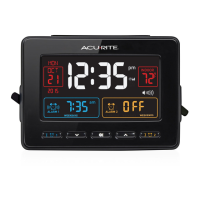
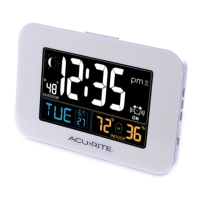
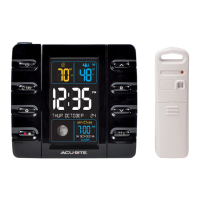
Projection Alarm Clock
model 13020 / 13026
180º

Questions and Answers

Summary

Product Features and Benefits

Outdoor Sensor Features

Details features of the outdoor sensor, including hanger, signal indicator, battery compartment, and A-B-C switch.

Front of Alarm Components

Lists and describes the controls and display elements on the front of the alarm clock.

Back of Alarm Components

Lists and describes the controls and settings on the back of the alarm clock.

Setup Procedures

Sensor Setup Guide

Instructions for setting up the outdoor sensor, including A-B-C switch and battery installation.

Alarm Clock Setup Guide

Guides for setting up the alarm clock, including A-B-C switch, power, and backup batteries.

Intelli-Time Clock Setup

Explains how to set language, time zone, DST, clock, and calendar preferences.

Placement and Operation

Placement for Maximum Accuracy

Critical placement guidelines for both display and outdoor sensor for accurate readings.

Using the Alarm Clock

Instructions on setting the alarm time, using momentary backlight, and moon phase tracking.

Using the Projector

Guidance on operating the projector, adjusting image, and selecting projection content.

Display Backlight Adjustment

Details on adjusting display brightness levels and behavior during battery power.

Troubleshooting and Maintenance

Troubleshooting Common Issues

Addresses issues like no sensor reception, dark display, and inaccurate temperature readings.

Care and Maintenance

Instructions for cleaning the display and sensor, and replacing the Intelli-Time battery.

Specifications and Support

Product Specifications

Details temperature ranges, wireless range, operating frequency, power sources, and data reporting.

FCC Compliance Information

Information regarding FCC rules, compliance, and potential interference.

Customer Support and Warranty

Contact information for support and details of the limited one-year warranty.

AcuRite 13020 Specifications

General IconGeneral
BrandAcuRite
Model13020
CategoryAlarm Clock
LanguageEnglish

Related product manuals