EasyManua.ls Logo

AcuRite 13024 - User Manual

AcuRite 13024
12 pages
Print Icon
To Next Page IconTo Next Page
Loading...
Instruction Manual
SAVE THIS MANUAL FOR FUTURE REFERENCE.
Questions? Contact Customer Support at
(877) 221-1252 or visit www.AcuRite.com.
CONTENTS
Unpacking Instructions ........... 2
Package Contents .................. 2
Product Registration ............... 2
Features & Benets ................. 3
Clock Setup ........................... 5
Atomic Clock ......................... 6
Set the Time & Date ............... 6
Placement Guidelines ............. 7
Using the Clock...................... 8
USB Charging ........................ 8
Troubleshooting ..................... 9
Care & Maintenance .............10
Specications ........................ 10
FCC Information ...................10
Customer Support ................. 11
Warranty..............................11
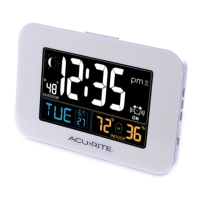
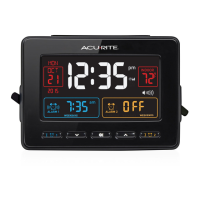
Atomic Dual Alarm Clock
model 13024

Questions and Answers

  • T
    Tammy ShawJul 26, 2025
    How to fix AcuRite Alarm Clock if the display is too dark?
    • N
      Nicole FloresJul 26, 2025
      If your AcuRite Alarm Clock's display is too dark, hard to read, or not working, start by verifying that the power adapter is properly plugged in and the batteries are correctly installed, replacing them if necessary. You can also increase the brightness using the +/– buttons on the back of the clock. Note that the backlight may automatically turn off for 10 minutes at 2:00am and 3:00am to acquire the atomic clock signal. The optimal viewing angle for the product is from slightly above it. If issues persist, reset the unit by unplugging the power supply and removing any batteries to restore factory settings; remember to re-enter the time and date afterward.

Summary

Unpacking Instructions

Package Contents

Product Registration

Features & Benefits

FRONT OF CLOCK

Details the buttons and features on the front of the clock, including alarm settings and display controls.

BACK OF CLOCK

Details the buttons and ports on the back of the clock, including charging and power inputs.

BOTTOM OF CLOCK

Describes controls found inside the battery compartment, such as RCC and temperature units.

Clock Display Indicators

Display Overview

Explains the meaning of various icons and readouts on the main clock display, such as date, atomic clock, and alarm status.

Clock Setup

Plug in Power Adapter

Instructions on connecting the power adapter as the primary power source for optimal performance.

Install or Replace Backup Batteries

Guide to installing or replacing the 3 AA alkaline batteries for backup power during outages.

Atomic Clock (RCC)

RCC Signal Function

Explains how the atomic clock uses a radio-controlled signal for accurate time synchronization and updates.

Set the Time & Date

Manual Time Setting

Detailed steps to enter SET MODE and adjust time, date, and DST using the clock's buttons.

Alarm Clock Placement

Placement Guidelines

Key advice on positioning the clock for accurate temperature, signal reception, and to avoid interference.

Using the Clock

Set the Alarm Time

Instructions on how to set the alarm times and specify daily, weekday, or weekend activation.

Backlight Operation

How to activate the backlight during adapter or battery power and its behavior during atomic signal acquisition.

USB Charging Function

Guide to charging compatible mobile devices using the clock's USB port, noting power adapter requirement.

Troubleshooting

Clock Display Issues

Solutions for a dark screen, unreadable display, or non-functional clock, including brightness and reset steps.

Temperature Accuracy

Advice on ensuring accurate temperature readings by checking placement relative to heat sources or sunlight.

Signal Sync Problems

Guidance for troubleshooting atomic signal reception and time syncing issues, including an external resource link.

Care & Maintenance

Clock Cleaning

Instructions on how to clean the clock using a damp cloth and avoid abrasive cleaners or dust.

Specifications

Technical Details

Lists the operating temperature range and power requirements for the atomic clock.

FCC Information

Regulatory Compliance

Details compliance with FCC rules, warnings about modifications, and interference guidelines for the device.

Customer Support

Contact & Help

Provides phone number, email, and website for customer assistance and product support.

Online Resources

Lists available online resources like installation videos, manuals, and support forums for users.

Limited One Year Warranty

Warranty Coverage

Outlines the one-year warranty, what it covers, exclusions, and how to make a claim.

AcuRite 13024 Specifications

General IconGeneral
Display TypeLCD
Power SourceBattery
Temperature DisplayYes
Humidity DisplayYes
Alarm FunctionYes
Snooze FunctionYes
Time Display12/24-hour format

Related product manuals