
 To Next Page
S
Sheena PhillipsAug 9, 2025
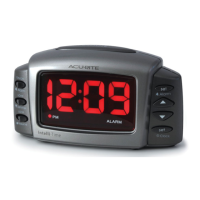
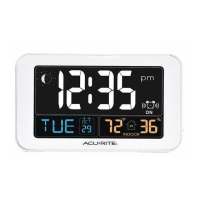
Why is the colon blinking on my AcuRite Intelli-Time 13001?
- SstevenbennettAug 10, 2025
The blinking dots on your AcuRite Alarm Clock indicate the seconds counting. Unfortunately, there's no way to disable this feature.

Why is the colon blinking on my AcuRite Intelli-Time 13001?
The blinking dots on your AcuRite Alarm Clock indicate the seconds counting. Unfortunately, there's no way to disable this feature.
What to do if AcuRite Intelli-Time 13001 Alarm Clock won’t turn on or displays partial numbers?
If your AcuRite Alarm Clock isn't powering on correctly or is showing only partial numbers, try resetting it. Locate the reset button on the bottom, press it, and this will restore the clock to its original factory settings. Please note that you'll need to re-enter the time and date after performing the reset.
 General
| Display Type | LCD |
|---|---|
| Power Source | AC Adapter |
| Alarm Function | Yes |
| Time Projection | Yes |
| Temperature Display | Yes |
| Humidity Display | Yes |
| Backlight | Yes |
| Snooze | Yes |
| Intelli-Time | Yes |