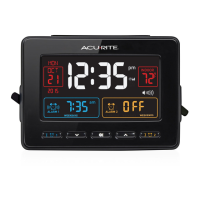
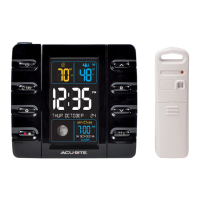
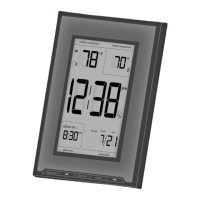
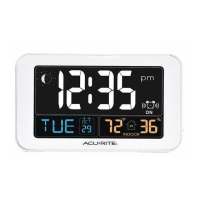
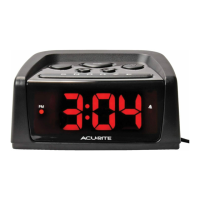
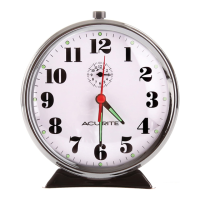
This document is an instruction manual for the AcuRite Atomic Alarm Clock, models 13131A3, 13131W2, and 75065. It provides comprehensive information on the clock's features, setup, operation, troubleshooting, and maintenance.
Function Description:
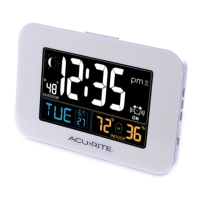
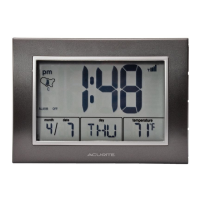
The AcuRite Atomic Alarm Clock is a radio-controlled timepiece designed to provide accurate time and date, automatically synchronizing with the National Institute of Standards and Technology (NIST) Radio Station WWVB. This ensures split-second accuracy and automatic updates for Daylight Saving Time. In addition to displaying the time, it also shows the current indoor temperature, month, date, and day of the week. It includes an alarm function with a snooze feature and a momentary backlight.
Important Technical Specifications:
- Temperature Range: 32°F to 99°F (0°C to 37°C).
- Power: 3 x AA alkaline batteries.
- Atomic Clock (RCC): Synchronizes with the WWVB radio signal from Fort Collins, Colorado, for precise time and date.
- Models: 13131A3, 13131W2, 75065.
Usage Features:
Front Display Elements:
- SNOOZE/LIGHT Button: Activates the snooze function for 8 minutes when the alarm sounds and provides a momentary backlight for 5 seconds.
- Atomic Clock Indicator: Shows that the clock is receiving the atomic signal and automatically setting the time and updating for Daylight Saving Time.
- AM/PM Indicator: Displays whether the time is AM or PM.
- Time Zone Indicator: Shows the currently selected time zone (PST, MST, CST, EST).
- "ALARM ON" Indicator Icon: Illuminates when the alarm is active.
- Date: Displays the current month and day.
- Day of the Week: Shows the current day.
- Current Indoor Temperature: Displays the temperature in Fahrenheit or Celsius.
- Menu Selection: Indicates the current setting being adjusted during setup.
- Atomic Signal Strength: Displays the strength of the atomic clock signal reception.
- SET CLOCK Button: Used to enter and navigate through the clock setup mode.
- "▲" Button: Adjusts selected settings upwards (press and hold for fast adjust).
- "▼" Button: Adjusts selected settings downwards (press and hold for fast adjust).
- ALARM ON/OFF Button: Used to enter alarm set mode and to toggle the alarm on or off.
- °C/°F Button: Toggles the temperature display between Celsius and Fahrenheit.
- RESET Button: Performs a full reset to factory defaults, requiring time and date re-entry.
- Battery Compartment Cover: Protects the battery compartment.
Clock Setup:
- Battery Installation: Remove the battery compartment cover, insert 3 x AA alkaline batteries following the polarity diagram, and replace the cover.
- Setting Time & Date:
- Press and hold the "SET CLOCK" button to enter SET MODE.
- The currently selected item will blink.
- Use the "▲" or "▼" buttons to adjust the value (press and hold for fast adjust).
- Press "SET CLOCK" to confirm the adjustment and move to the next preference.
- The preference set order is: TIME ZONE (PST MST CST EST), AUTO DST ON/OFF, CALENDAR YEAR, CALENDAR MONTH, CALENDAR DATE, CLOCK HOUR, CLOCK MINUTE.
- The clock will automatically exit SET MODE if no buttons are pressed for 45 seconds.
- DST should be set to ON if you live in an area that observes Daylight Saving Time.
Alarm Clock Usage:
- Setting Alarm Time:
- Press and hold the "ALARM ON/OFF" button for 5 seconds to enter ALARM SET MODE.
- Use the "▲" or "▼" buttons to adjust the alarm hour and minute.
- Press "ALARM ON/OFF" to confirm and move to the next setting.
- The clock will automatically exit ALARM SET MODE if no buttons are pressed for 60 seconds.
- Turning Alarm ON/OFF:
- To turn ON: Press and release the "ALARM ON/OFF" button until the "ALARM ON" icon and words appear.
- To turn OFF: Press and release the "ALARM ON/OFF" button until the "ALARM OFF" icon and words appear.
- SNOOZE Function: When the alarm sounds, press the "SNOOZE/LIGHT" button to activate an 8-minute snooze. This can be activated an unlimited number of times.
- Momentary Backlight: Press the "SNOOZE/LIGHT" button to activate the backlight for 5 seconds.
Placement Guidelines:
- Place the clock in a dry area, free of dirt and dust.
- Avoid direct sunlight and heat sources/vents for accurate temperature readings.
- For optimal atomic signal reception, place the unit away from large metallic items, thick walls, metal surfaces, or other objects that may limit radio communication.
- To prevent wireless interference, keep the unit at least 3 ft (0.9 m) away from electronic devices (TV, computer, microwave, radio, etc.).
Troubleshooting:
- Clock too dark/hard to read/doesn't work: Verify batteries are installed correctly and may need replacement. The optimum viewing angle is slightly above. Perform a full reset using the RESET button.
- Inaccurate temperature: Ensure the clock is not in direct sunlight or near heat sources/vents.
- Atomic signal/time syncing problems: Signal reception is typically better at night and in clear weather. The atomic signal may take a few hours to synchronize. Manual time and date setting is recommended after powering on. For additional troubleshooting, visit www.nist.gov/pml/div688/grp40/radioclocks.cfm.
Maintenance Features:
- Clock Care: Clean with a soft, damp cloth. Avoid caustic cleaners or abrasives. Keep free of dust, dirt, and moisture. Regularly clean ventilation ports with a gentle puff of air.
- Battery Safety: Clean contacts, remove batteries during extended non-use, follow polarity, promptly remove dead batteries, dispose of used batteries properly. Do not incinerate, dispose of in fire, mix old/new or different types of batteries, or use/recharge non-rechargeable batteries. Do not short-circuit supply terminals.
Customer Support:
AcuRite customer support is available via phone at (877) 221-1252 or online at www.AcuRite.com. Resources include installation videos, instruction manuals, product registration, a support user forum, replacement parts, and feedback submission. Product registration is recommended to receive a 1-year warranty.
Limited One Year Warranty:
Chaney Instrument Co. warrants products to be free of defects in material and workmanship for one year from the date of purchase, provided proper installation and operation. Remedy for breach is limited to repair or replacement. Transportation costs for returned goods are the purchaser's responsibility. The warranty is void if the product has normal wear and tear, damage (including acts of nature), tampering, abuse, improper installation, shipping damage, or unauthorized repairs. This warranty is expressly in lieu of all other warranties, express or implied, including merchantability and fitness for a particular purpose. Chaney disclaims liability for special, consequential, or incidental damages and personal injury to the extent permitted by law. No person is authorized to modify or waive warranty terms without written consent from Chaney. For in-warranty claims, contact Chaney Instrument Co., 965 Wells St., Lake Geneva, WI 53147.


 To Next Page
 General