8
Settings
After powering on for the rst time, the display will automatically enter setup
mode. Follow the on-screen instructions to set up the display.
To adjust the currently selected item, press and release the “
T
” or “
V
“
buttons (press and HOLD to fast adjust).
To save your adjustments, press and release the “ ” button again to adjust
the next preference. The preference set order is as follows:
TIME ZONE (PST, MST, CST, EST, AST, HAST, AKST)
AUTO DST (Daylight Saving Time YES or NO)*
CLOCK HOUR
CLOCK MINUTE
MONTH
DATE
YEAR
PRESSURE UNITS (inHg or hPa)
TEMPERATURE UNITS (ºF or ºC)
AUTO DIM (YES or NO)**
AUTO CYCLE (OFF, 10 sec., 30 sec., 60 sec., 2 min.)
INDOOR READINGS or HOW-TO-DRESS CHARACTER***
ALERT VOLUME
*If you live in an area that observes Daylight Saving Time, DST should be set to YES,
even if it is not currently Daylight Saving Time.
**For more information see page 11, under “Display”.
***For more information see page 12, under “How-to-Dress Character”.
Enter setup mode at any time by pressing the “ ” button to access the menu,
then navigate to “Setup” and press and release the “ ” button.
Placement for Maximum Accuracy
AcuRite products are sensitive to surrounding environmental conditions. Proper
placement is critical for accuracy and performance.
Display Placement
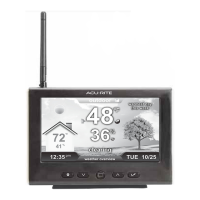
Place the display in a dry area free of dirt and dust. Display stands
upright for tabletop use and is wall-mountable.
Important Placement Guidelines
• To ensure accurate temperature measurement, place product out of direct
sunlight and away from any heat sources or vents.
• Display and add-on Monitors/Sensors must be within 330 feet (100 m) of
each other.
• To maximize wireless range, place product away from large metallic items, thick
walls, metal surfaces, or other objects that may limit wireless communication.
• To prevent wireless interference, place product at least 3 feet (.9 m) away from
electronic devices (TV, computer, microwave, radio, etc.).


 To Next Page