1616
Problem Possible Solution
Sensor not recognized
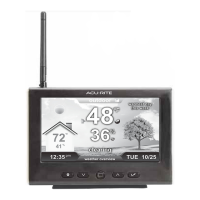
If the Home Environment Display is being used with
more than one Temperature & Humidity Sensor (models
06002 or 06044), the A-B-C channels must differ
between each sensor.
1. Bring the display and wireless sensors together and
position them side-by-side.
2. Remove the power adapter from the display.
3. Verify that each sensor has a different A-B-C
channel selected.
• Model 06002 - Locate the A-B-C switch inside the
battery compartment to adjust channel setting.
• Model 06044 - Locate the A-B-C button on the back
of the sensor to adjust channel setting (indicated on
sensor display).
4. Re-install sensor batteries (if applicable).
5. Plug in display’s power adapter.
Note: It may take a few minutes for the display and
sensor(s) to synchronized after batteries are replaced.
If your AcuRite product does not operate properly after trying
the troubleshooting steps, visit www.AcuRite.com or call
(877) 221-1252 for assistance.
Care & Maintenance
Display Care
Clean with a soft, damp cloth. Do not use caustic cleaners or abrasives. Keep
away from dust, dirt and moisture. Clean ventilation ports regularly with a
gentle puff of air.


 To Next Page