10
Using the Weather Station
OPERATION
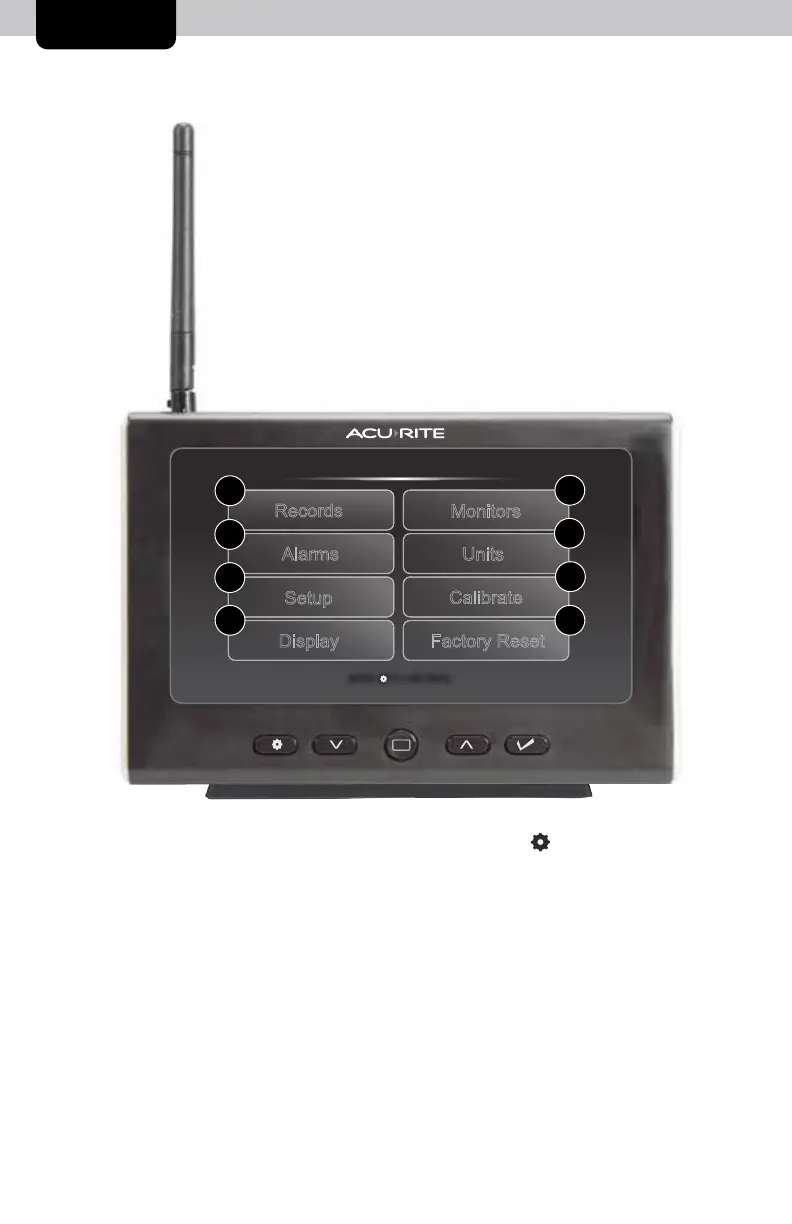
Menu
Records
Display
Monitors
Setup
Factory Reset
Units
Alarms
Calibrate
press to exit menu
1
5
2
6
3
7
4 8
Navigate to the main menu at any time by pressing the “ ” button. From the
main menu, you can view records, set alarms, setup additional monitors and more.
1. Records
Access the “Records” sub-menu to view high and low values recorded for
each location by date and view trends for each of the monitor’s readings on
a graphic chart.
2. Alarms
Access the “Alarms” sub-menu to set and edit alarm values.
3. Setup
Access the “Setup” sub-menu to enter the initial setup process.


 To Next Page