6
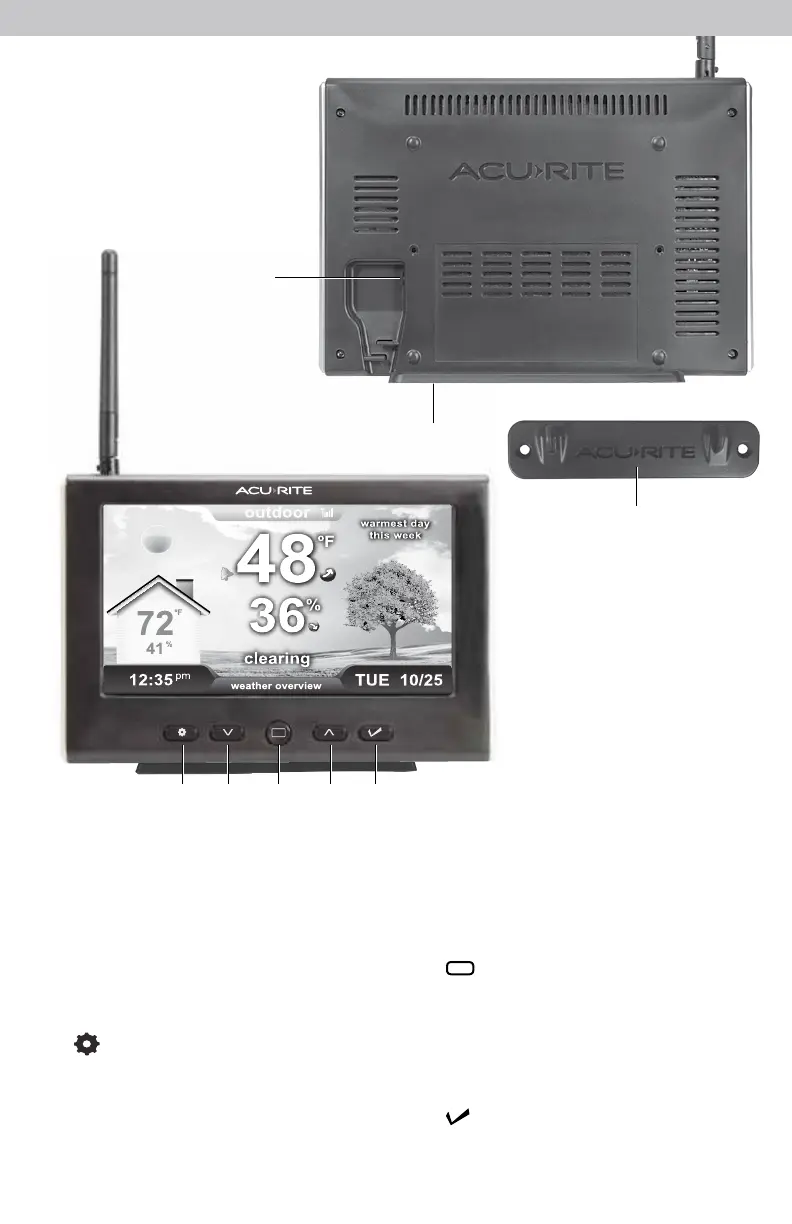
DISPLAY BACK
1. Plug-in for Power Adapter
2. Display Stand
Snaps in for tabletop use.
3. Mounting Bracket
For easy wall mounting.
DISPLAY FRONT
4.
Button
For menu access and setup
preferences.
5.
V
Button
For setup preferences and cycling
through messages on the Weather
Overview dashboard.
6.
Button
Press to view a different dashboard.
7.
T
Button
For setup preferences and cycling
through messages on the Weather
Overview dashboard.
8. Button
For setup preferences.
1
4
5 6 7 8
Features & Benets
Display
2
3


 To Next Page