Need help?
Do you have a question about the AcuRite Atlas and is the answer not in the manual?
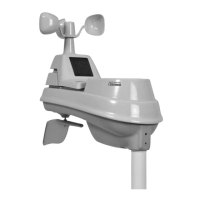
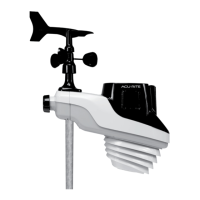
Explains the functionality and data transmission of the AcuRite Atlas outdoor device.
Instructions for setting up the AcuRite Atlas outdoor device, including verifying package contents.
Identifies and labels the various components of the AcuRite Atlas outdoor device.
Guide on how to install AA alkaline or lithium batteries in the outdoor device.
Instructions for installing the optional Lightning Detection Sensor.
Guidelines for properly mounting the AcuRite Atlas outdoor device for accurate readings.
Additional guidelines for placing the outdoor device to ensure accurate measurements.
Tips to avoid obstructions and ensure strong wireless communication.
Advice on positioning the device away from heat sources for accurate temperature readings.
Recommendations for placement to avoid water sources for accurate humidity readings.
Guidance on mounting height and avoiding obstructions for accurate wind measurements.
Warning against installing the device where it could be sprayed by sprinklers.
Steps to adjust the wind vane orientation if the default factory setting is not suitable.
Technical specifications for the AcuRite Atlas outdoor device, including ranges and accuracy.
Contact information and resources for troubleshooting and support.
Details on compliance with FCC rules for radio frequency interference.
Information about the one-year limited warranty for the AcuRite Atlas product.
 General
| Temperature Range | -40°F to 158°F (-40°C to 70°C) |
|---|---|
| Wind Speed Range | 0 to 99 mph (0 to 159 km/h) |
| UV Index | 0 to 16 |
| Humidity Range | 1% to 99% RH |
| Rainfall Measurement | 0 to 99.99 inches (0 to 2540 mm) |
| Lightning Detection | Strikes within 25 miles (40 km) |
| Wireless Range | 330 ft (100 m) line of sight |
| Light Intensity | 0 to 120, 000 lux |
| Data Reporting Interval | 18 to 36 seconds |
| Display Type | LCD |
| Connectivity | Wi-Fi |
| Sensors | Temperature, Humidity, Wind Speed, Wind Direction, Rainfall, UV, Light Intensity, Lightning Detection |
| Mobile App Compatibility | Yes, My AcuRite app (iOS and Android) |
| Indoor/Outdoor Use | Outdoor (sensor), Indoor (display) |
| Water Resistance | Weather-resistant design |
| Power Source | 4 x AA alkaline or lithium batteries (Outdoor Sensor) |

 To Next Page