EasyManua.ls Logo

Acurus A2002 - User Manual

Acurus A2002
20 pages
Print Icon
To Next Page IconTo Next Page
Loading...
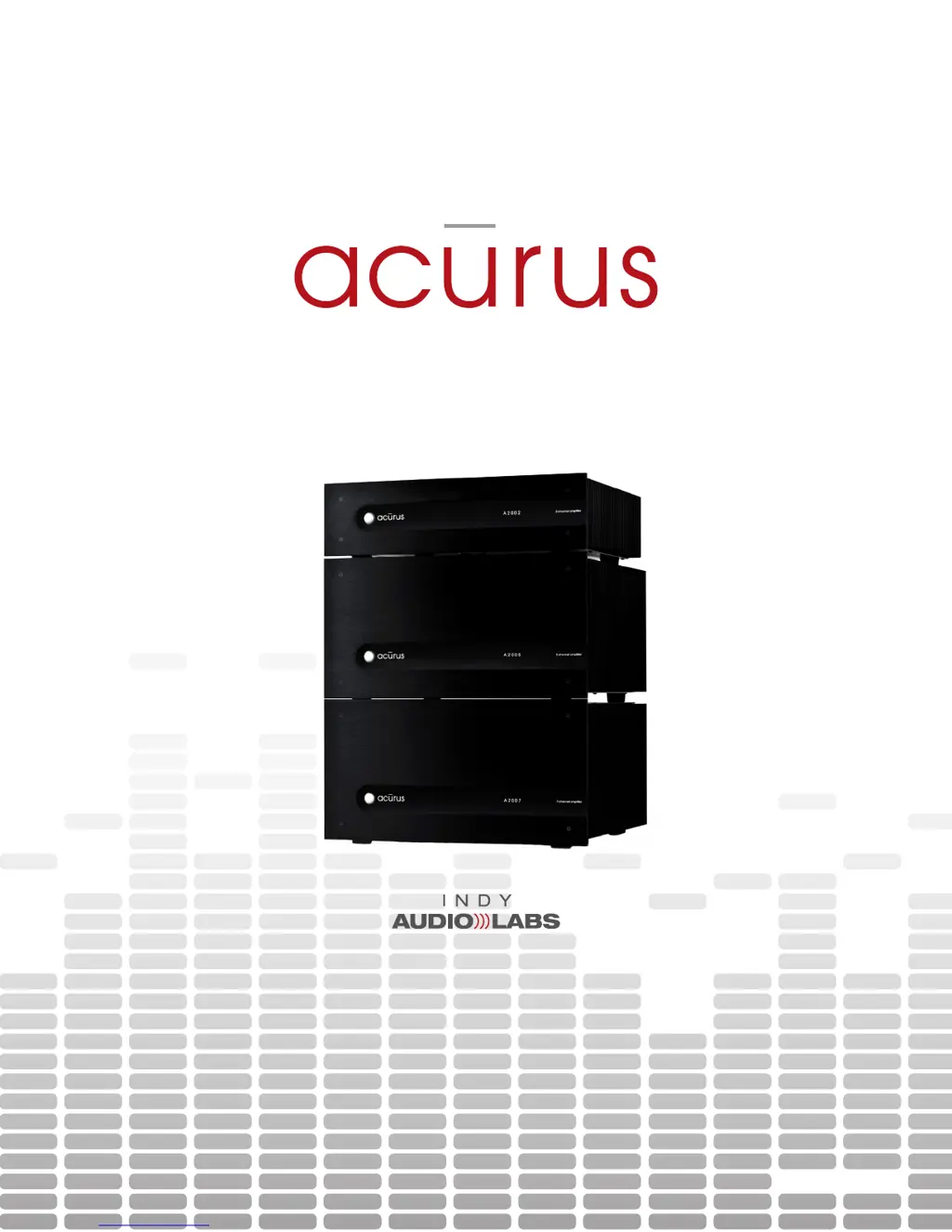
A2000-Series Amplier User Guide
2, 5 and 7-channel models
Document No. 1000571

Questions and Answers

  • P
    paul53Aug 14, 2025
    How to fix Acurus A2002 Amplifier if it does not power on?
    • L
      Lucas MorrisAug 14, 2025
      If your Acurus Amplifier isn't powering on and the front panel lights are off, first, ensure the power cord is securely connected to both the wall and the back of the unit. Also, check that any switched AC outlets or power conditioners in use are turned on. If the issue continues, inspect the fuse compartment near the AC inlet on the back of the unit. Replace the fuse and try again; if the problem persists, the unit may require professional service.
  • J
    jessica11Aug 17, 2025
    What to do if Acurus Amplifier has power but no sound?
    • K
      kylie17Aug 17, 2025
      If the Acurus Amplifier switches on (blue indicator) but doesn't produce audio, begin by checking the loudspeaker connections at both the amplifier and speaker terminals, looking for any frayed or disconnected leads. Next, verify that the pre-amp is powered on and properly connected to the amplifier inputs using good RCA cables. Also, check the connections between the source device and pre-amp. You might also try an alternate source device to rule out a pre-amp issue. Finally, using web control, check mute button states on main view and advanced views. Alternatively, reset AC power to the unit to reset the mute states. Note that with DHCP control, this may reset the unit IP address.
  • S
    Scott ClarkAug 21, 2025
    Why my Acurus Amplifier doesn't switch on with blue light via web control?
    • D
      David TorresAug 21, 2025
      If your Acurus Amplifier powers on with a red standby light but doesn't switch on with a blue light via web control, first check that the control device is connected to the local network. Also, ensure that all network routers and switches are powered up and active. Then, check if the amplifier is disconnected from the local network. If the network activity light is not illuminated green, check the cable connections. If the cable is plugged in and the switch or router shows activity, replace the network cable.
  • S
    Sherry ArnoldAug 27, 2025
    Why is the sound garbled on my Acurus Amplifier?
    • E
      erichallAug 27, 2025
      If the sound from your Acurus Amplifier is garbled or distorted, check the loudspeaker connections at the amplifier and speaker terminals for any shorted or open speaker leads. Also, check to ensure the amplifier inputs are connected directly from corresponding pre-amp outputs via good RCA cables. Try disconnecting the problem loudspeaker and reconnecting it to a known good amplifier channel.
  • J
    jennifer58Aug 31, 2025
    How to cool down Acurus Amplifier that runs hot?
    • K
      Kaitlyn HayesAug 31, 2025
      If your Acurus Amplifier runs hot even at low audio levels, first ensure that the sides, rear, and top of the unit have at least 2 inches of airspace and that air can flow freely around the amplifier. Next, verify that the loudspeakers are greater than or equal to 4 ohms nominal impedance. Check the loudspeaker connections at the amplifier and at the speaker terminals, looking for frayed leads touching each other or the chassis metal. Finally, remove the loudspeaker and re-check the channel with a known-good loudspeaker.
  • C
    Cheryl GibbsSep 3, 2025
    Why doesn't my Acurus A2002 Amplifier turn on automatically with pre-amp?
    • J
      Jaime LittleSep 3, 2025
      If turning on your pre-amp doesn't automatically turn on your Acurus Amplifier, check the trigger cable connections and re-test. Also, refer to the pre-amp information to ensure the trigger output falls into the range of 5-24Vdc.
  • V
    Veronica OlsenSep 6, 2025
    How to stop hum from Acurus A2002 Amplifier?
    • L
      Lynn JohnsonSep 6, 2025
      If hum persists only when your Acurus Amplifier is on and disappears in standby, check for RCA plugs not seated completely in jacks. Isolate and replace any faulty cables. Ensure the original 3-conductor heavy-gauge power cord that shipped with your Acurus is used for the amplifier. Try a different power outlet in case the wall outlet ground is defective, and attempt to power the system from a single AC outlet to minimize ground loops. Verify the source by disconnecting the incoming cable line or satellite dish cable to see if the hum disappears. If so, use an isolation transformer (or Mondial Magic Box) at each of the cable and/or satellite inputs.
  • L
    Lauren EscobarSep 9, 2025
    Why does my Acurus A2002 Amplifier cut out after running for a while?
    • V
      Vanessa GonzalezSep 9, 2025
      If your Acurus Amplifier runs for a while then one or more channels cut out, check the loudspeaker connections at the amplifier and at the speaker terminals, looking for frayed leads touching each other or touching chassis metal. Also, remove the loudspeaker and re-check the channel with a known-good loudspeaker.
  • K
    kellytammyNov 23, 2025
    What to do if some Acurus A2002 Amplifier channels are not working?
    • H
      hrobinsonNov 23, 2025
      If not all channels on your Acurus Amplifier appear to be working, check the loudspeaker connections at both the amplifier and speaker terminals for any frayed or disconnected leads. Ensure that the amplifier inputs are connected directly from the corresponding pre-amp outputs using good RCA cables. Disconnect the problem loudspeaker and reconnect it to a known good amplifier channel to test the loudspeaker. For A2005 and A2007 models, verify that the speaker sound is supported in the active processing mode. Using web control, check mute button states on main view and advanced views. Alternatively, reset AC power to the unit to reset the mute states. Note that with DHCP control, this may reset the unit IP address. Blown channel protection fuses can sometimes occur after a faulty connection...

Acurus A2002 Specifications

General IconGeneral
Power Output (8 ohms)200 W
Power Output (4 ohms)300 W
Channels2
Frequency Response20 Hz - 20 kHz
Frequency Response Tolerance+/- 0.1 dB
Total Harmonic Distortion< 0.05%
Slew Rate50 V/µs
Signal-to-Noise Ratio> 110 dB
Damping Factor> 500

Related product manuals