13.1.3 ENABLING OF UNITS
• The third parameter is to enable or disable the weighing units
so that the user can select the enabled units during the
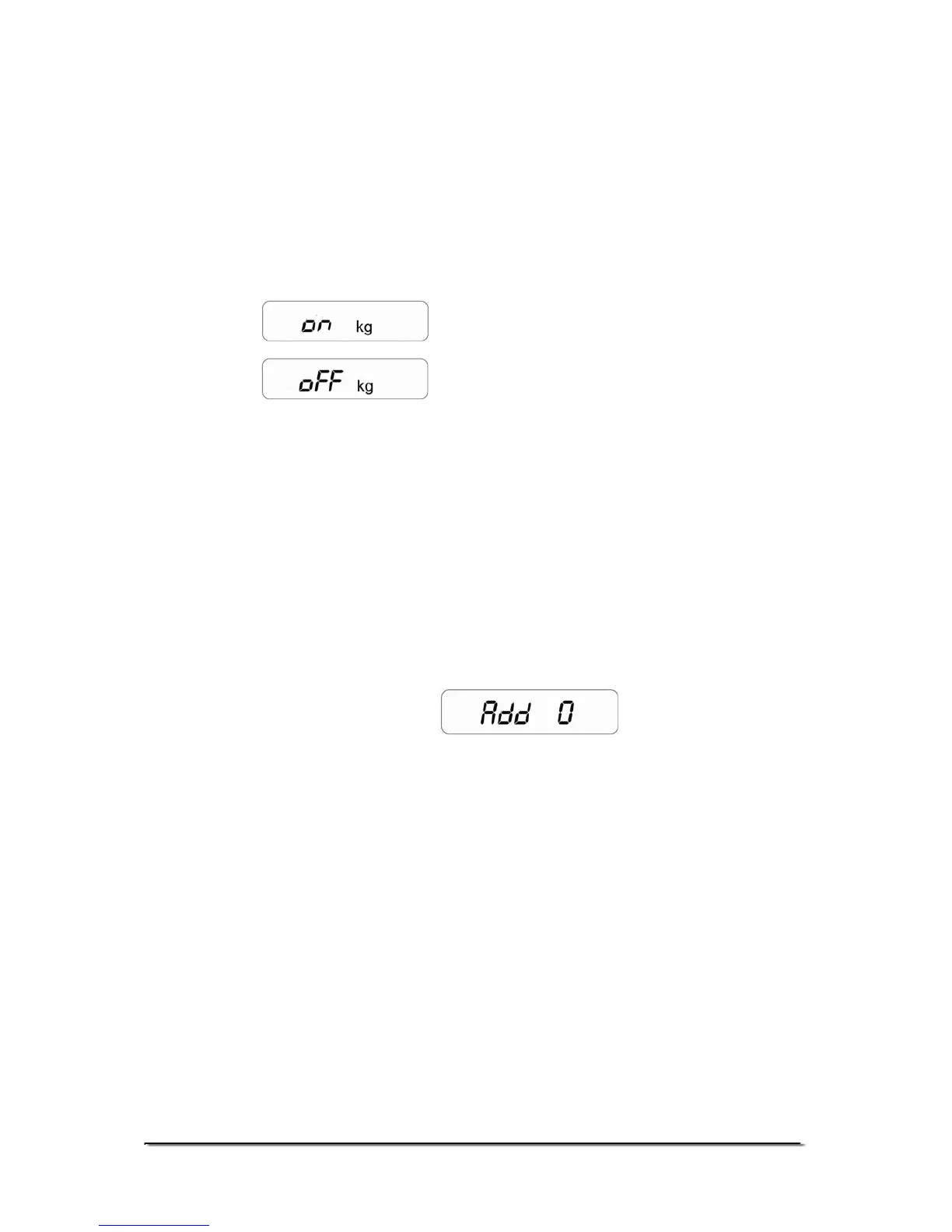
weighing operation. Display will show “on kg” (DEFAULT
SET)
• Use [Tare/Zero] to toggle between “on” and “oFF”.
Enables the unit
Disables the unit
• Press the [Unit] key to confirm the selection and move to the
next unit which is “lb”.
• After all units are set, press the [Unit] key to move to the
next parameter.
13.1.4 COMMUNICATION ADDRESS
• The fourth parameter is for setting the ID for the RS-232
results output. Display will show “Add 0” (DEFAULT SET)
• This parameter sets the communication address which is
sent via RS-232 as an ID code. There are 26 options to
select from “Add 0” to “Add 25”. Set “Add 0” for no address.
The numbers relate to alphabets for example 1=A, 2=B to
25=Y
• Use the [Tare/Zero] key to scroll through the options.
• Press the [Unit] key to confirm the selection and move to the
next parameter.
© Adam Equipment Company 2008
18


 To Next Page