Remote Control Programming Manual
Advanced text messaging: Example 8 — Speeding up and slowing down messages 23
Example 8 — Speeding up and slowing down messages
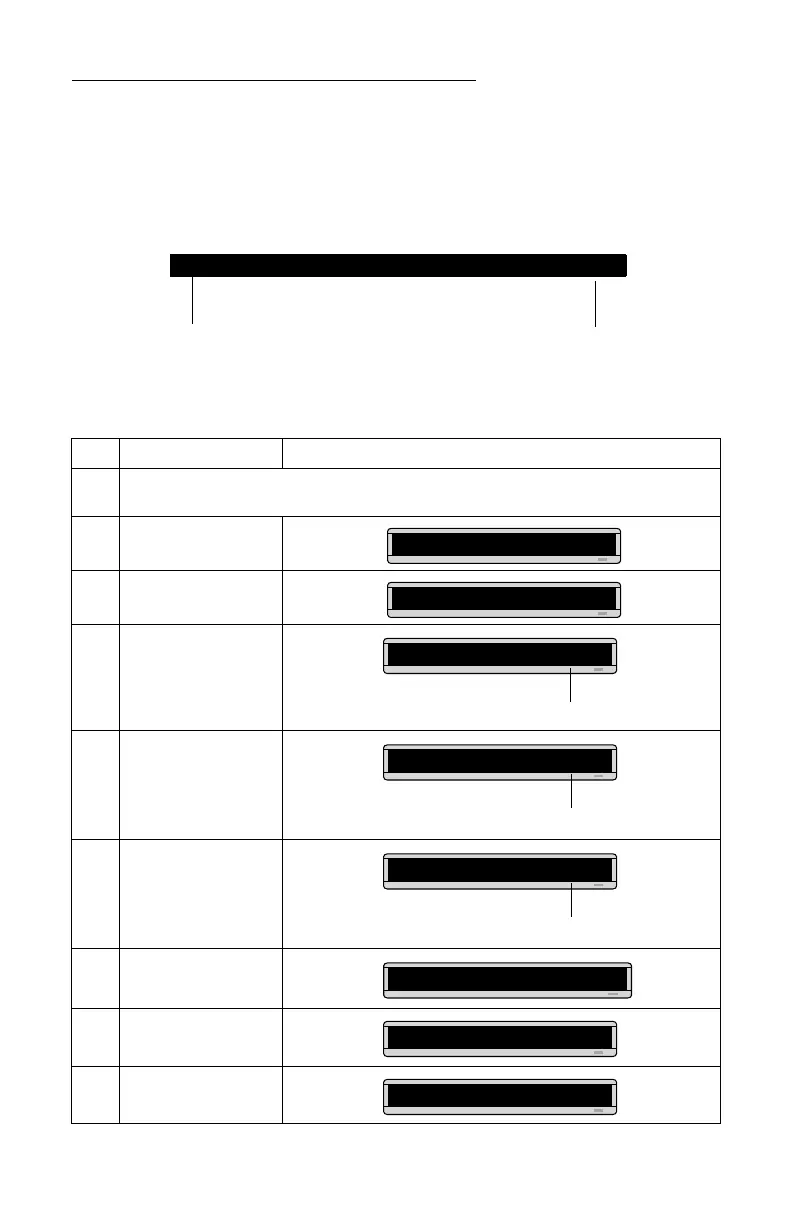
Messages can be sped up or slowed down using the SPEED mode. Once
you pick a mode, like
ROTATE, a speed can be selected by selecting SPEED on
the Remote Control. Then press
SELECT to change the speed:
Here’s an example of how to vary the speed of the
SCROLL mode of a
message:
Step When you do this... You see this...
1
Delete all the messages currently stored in the sign.
(See “Clearing a sign’s memory” on page 5 or “Example 5 — Deleting messages” on page 16.)
2 Press PROGRAM.
3 Press ADV.
4
Select SCROLL. (Hold
down SHIFT and press 3.)
5
Select SPEED. (Hold down
SHIFT and press 8.)
6
Press SELECT until [SP1]
(very slow) appears.
7 Type Scroll speed=1
8 Select SCROLL again.
9 Select SPEED again.
[SP1] [SP2] [SP3] [SP4] [SP5] [NHL]
Slowest
speed
Fastest
speed
PROG TEXT A
A]
A] [SCR]
[SCR] = SCROLL mode, which we’ll use to demonstrate message speed.
[SP4] is the default speed setting.
A] [SCR][SP4]
[SP1] = very slow
A] [SCR][SP1]
A]croll speed=1
A] [SCR]
A] [SCR][SP5]



 To Next Page