Remote Control Programming Manual
Appendixes: Appendix C — Connecting the sign to a computer 39
Appendix C — Connecting the sign to a computer
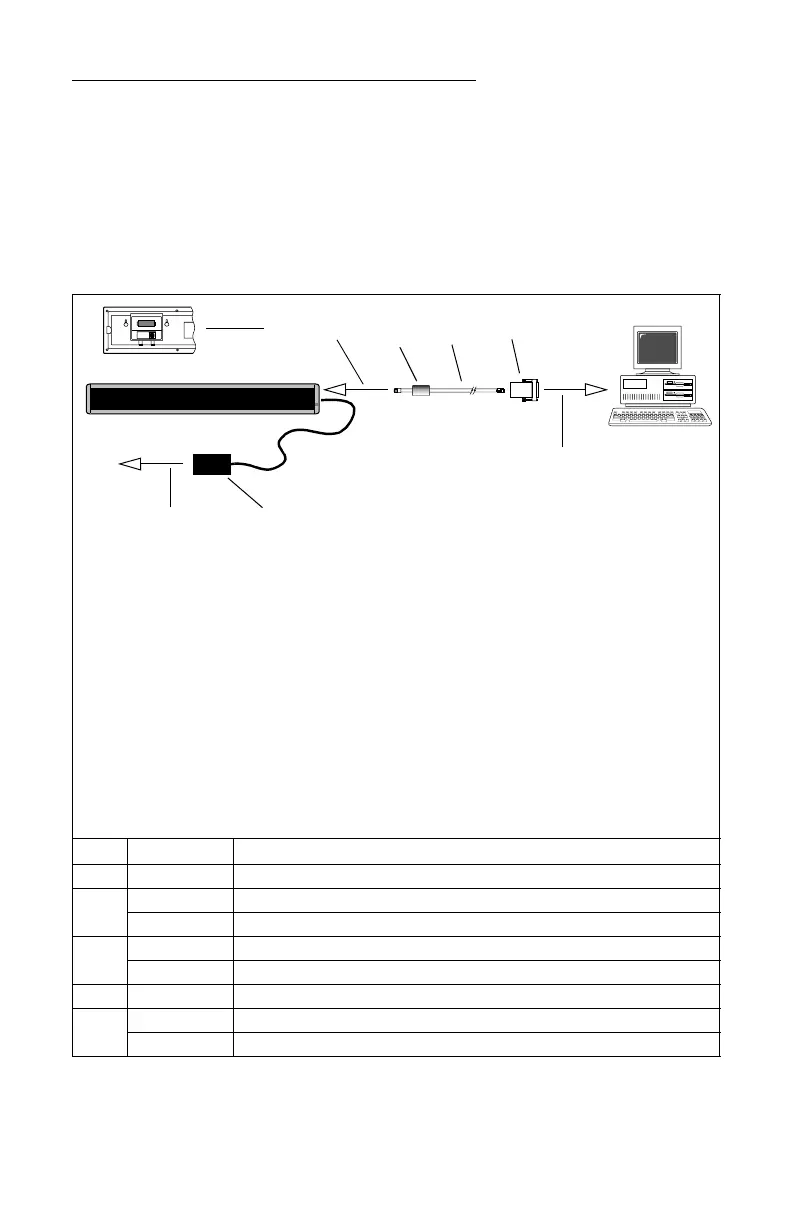
Messages can also be programmed into the sign using a computer. To
do this, you’ll need special connectors and computer software, either
AlphaNet plus™ or BetaBrite
®
Messaging Software™. Follow the
instructions that come with the software CD to program messages.
NOTE: BetaBrite
®
Messaging Software™ is available for online
purchase through http://www.BetaBrite.com. Click on
“Shop @ BetaBriteDirect” to submit an order.
Item Part # Description
A — Ferrite (ferrite end towards sign), supplied with data cable
B
1088-8625 25-foot 6-conductor RS232 data cable
1088-8627 50-foot 6-conductor RS232 data cable
C
4370-0001C 25 pin sub-D/to 6 pos. RJ11 adapter
1088-9108 9 pin sub-D/to 6 pos. RJ11 adapter
D — Power supply
E
1102-9102 BetaBrite
®
Messaging Software™
1092-7827 AlphaNeT plus™ software
A
B
C
To one of the
PC’s COM
(RS232) ports
To sign’s RS232 jack,
behind cover
PC running
BetaBrite
®
Messaging
Software™ or
AlphaNeT plus™
software
NOTE: A BetaBrite
®
sign can only be connected to one computer. It can not be
networked to more than one computer or to another BetaBrite
®
sign.
NOTE: Use only the power supply (Item D) that came with the sign. Set it flat, so
that it’s not dangling by the cord. Do not fasten it to anything.
NOTE: Connecting a surge protector between the electrical outlet and the sign is
highly recommended. Message data can be lost or the sign could be
damaged by power fluctuations.
NOTE: Electrostatic discharge, or “carpet shocks”, can also cause data loss and
damage to the sign. Avoid touching the sign after it’s been installed,
especially in cold, dry winter air.
NOTE: Do NOT connect a telephone to the sign’s RS232 jack and do NOT try to
substitute ordinary telephone wire for any parts listed below.
D
To surge-protected
power source



 To Next Page