Remote Control Programming Manual
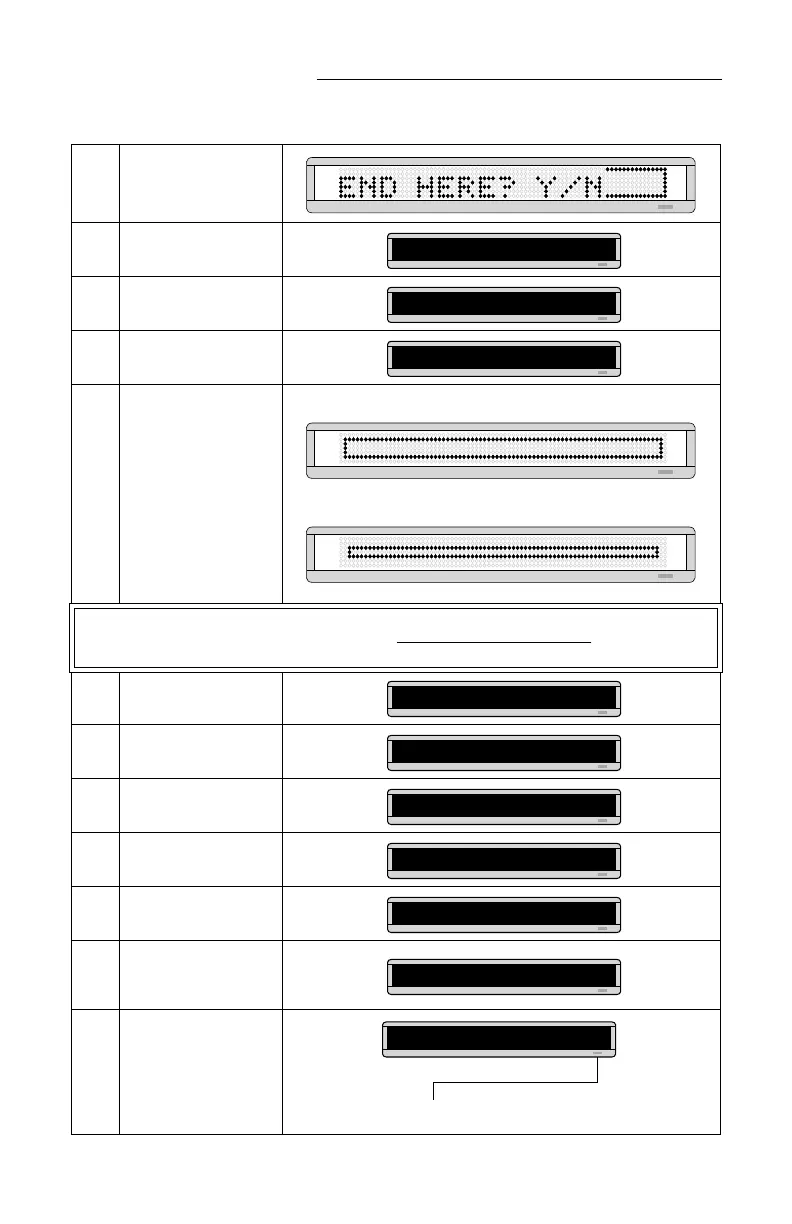
30 Graphics: Example 11 — Creating a movie marquee
8 Press RUN.
9
Then press Y to save
graphic A.
10
Press SELECT until a
question mark appears.
11
Type B as the name of the
next graphics file.
12
Repeat the previous steps
to draw graphics B and C.
(Both are just smaller
versions of graphic A.)
Use the COLOR key to
make all the dots in graphic
B green, and all the dots in
graphic C amber.
NOTE:
In order to display a DOTS graphic, it must be placed in a text message
.
In the following steps, we’ll create a text message and add the three DOTS graphics just created.
13
Press BACK to return to
PROG TEXT.
14
Press SELECT until a
question mark appears.
15 Press A.
16
Hold down SHIFT and
press 4 for FLASH.
17
Hold down SHIFT and
press 8 for SPEED.
18
Press SELECT until [SP5]
appears. (This is the fastest
speed.)
19
Insert the first DOTS
graphic you created (file A)
by holding down SHIFT
and pressing 0.
PROG DOTS A
PROG DOTS ?
PROG DOTS B
DOTS graphic B
DOTS graphic C
PROG TEXT A
PROG TEXT ?
A]
A] [FLS]
A] [FLS][SP4]
A] [FLS][SP5]
The letter A is the name of the graphic file.
A] FLS][SP5][DOT]A



 To Next Page