10
INSTALLATIONCONFIGURATIONOPERATION
FURTHER
INFORMATION
INDEX
Optional RC4 remote control
The optional RC4 remote control unit (part number: RC4-8P8C) can be used to provide
direct push button access to any channel from your desktop. The RC4 remote control
is supplied with a 3 meter cable that is used to link with the OPTIONS port on the rear
panel of the switch.
IMPORTANT: Do not connect the OPTIONS port to any network.
To connect the remote control
1 Connect either end of the supplied cable to the socket at the rear of the RC4 remote
control.
2 Connect the other end of the cable to the OPTIONS port on the rear panel of the
switch.
Patch cable
Adder P/N: VSC23
(Included in RC4-8P8C kit)
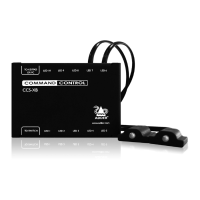
Using the RC4 with the optional CCS-XB module
When the optional CCS-XB LED monitor indicator module is used with the CCS-PRO4
switch, it requires permanent use of the latter’s OPTIONS port which would otherwise
be used to attach the RC4 remote.
However, the CCS-XB module has an output port that provides a link through to the
OPTIONS port (to which it is connected) that can be used to attach the RC4 remote.
To connect the remote control to the CCS-XB module
1 Use the Adder Free-Flow utility to program the CCS-PRO4 switch (see the section
Conguring LED monitor indicators).
2 Use the patch cable supplied with the RC4 kit to link the RC4 to the TO KEYPAD OR
PC port of the CCS-XB module.
The RC4 remote can now be used in the usual manner to select the required
channels.
IMPORTANT: Do not
connect the OPTIONS
port to any network.



 To Next Page