7
INSTALLATIONCONFIGURATIONOPERATION
FURTHER
INFORMATION
INDEX
Installation
LOCATIONS
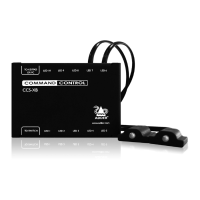
Please consider the following important points when planning the position of the CCS-
PRO4 switch:
• Situate the CCS-PRO4 switch close to the systems to which it will be connected and
near to a source of mains power.
• Thanks to Free-Flow, (and/or the optional remote control) the CCS-PRO4 switch can
be situated out of sight within the cabling cradle of a desk or placed adjacent to the
connected systems.
• Consult the precautions listed within the Safety information section.
MOUNTING
Before you begin connecting to the keyboard, mouse and source systems, it is advisable
to mount the CCS-PRO4 switch in place, either:
• On a horizontal surface using the supplied self adhesive feet, or
• Amongst the cabling at the rear of the desk.



 To Next Page