20
INSTALLATIONCONFIGURATIONOPERATION
FURTHER
INFORMATION
INDEX
Upgrade
To display the Upgrade page
Note: Firmware upgrades are not possible using the Safari browser, please use a different
browser when performing upgrades.
1 Access the CCS Manager.
2 On the left side, click the Upgrade button.
Performing a rmware upgrade
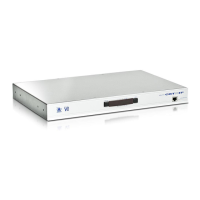
The CCS-PRO4 switch is fully upgradeable via a rmware upgrade.
To perform a rmware upgrade
1 Download the latest CCS-PRO4 rmware upgrade le from the Adder Technology
website (www.adder.com) and install it on a computer that is attached via a network
connection to the CCS-PRO4 switch.
The le is supplied as a compressed ZIP le. Decompress the ZIP le with an
appropriate tool such as WinZip (www.winzip.com) and extract the contained *.bin le.
2 Access the Upgrade page (as detailed left).
3 Click the Select upgrade le button and use the subsequent le dialog to locate
the downloaded *.bin upgrade le. Once selected, the name of the upgrade le will be
displayed within the Upgrade window.
4 Click the Start upgrade button. As the process begins, the Upgrade page will show
‘Upgrade in progress’ and the CCS-PRO4 front panel will show ‘ ’.
The upgrade process may take several minutes to complete, after which time the CCS-
PRO4 front panel will return to showing the current channel number.



 To Next Page