3
2
CONTENTS
1. Introduction .......................................................................................3
2. Product Features ..................................................................................3
3. Package Contents. . . . . . . . . . . . . . . . . . . . . . . . . . . . . . . . . . . . . . . . . . . . . . . . . . . . . . . . . . . . . . . . . . . . . . . . . . . . . . . . . . 4
4. BoardConguration ...............................................................................4
5. Before You Start ...................................................................................5
6. Installing the IRIS-4 2 Series Dialler .................................................................6
6.1. Mounting
....................................................................................6
6.2. Power
........................................................................................6
6.3. Connections
..................................................................................6
6.4. 2/3/4G SIM card (IRIS-4 200 & 240)
...........................................................7
6.5. Dial Capture
.................................................................................7
6.6. Pin Inputs
....................................................................................8
6.7. Switch On and Calibration
....................................................................8
6.8. Configuration
................................................................................9
6.9. Panel Configuration
..........................................................................10
6.10. Testing
......................................................................................11
7. Maintenance ......................................................................................11
7.1. Confirm Current Status
......................................................................12
7.2. Check Software Version/Reflash
...............................................................12
7.3. Communication Paths Checks
................................................................13
7.4. Test Alarm Panel Alarms and Communication to Monitoring Centre
............................13
7.5. Touch Screen Calibration
.....................................................................13
8. Specications .....................................................................................14
1. INTRODUCTION
2. PRODUCT FEATURES
FEATURES
Fire retardant enclosure
Touch screen
Ethernet
2/3/4G
Dial capture
Relays
Inputs (Pins)
Serial RS485
Serial TTL
RS232 (Basic)
Text messaging
Multi language menus
VoIP & SIP services
IRIS-4 2 SERIES
200 220 240
• • •
• • •
– 1 1
•
–
•
• • •
3 3 3
4 4 4
• • •
• • •
Basic
•
–
•
• • •
• • •
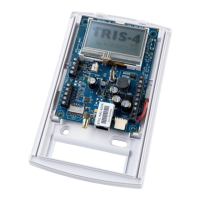
The IRIS-4 2 Series offers cost effective Alarm
over IP (AoIP) for the commercial and residential
sectors.
All IRIS-4 2 Series diallers are certified as suitable
for all Grade 3 systems with an Alarm Transmission
System (ATS) configuration up to SP6 for single
path, or ATS configuration DP4 for dual path
(IRIS-4 240 only).
The IRIS-4 2 Series is based on the successful IRIS
Touch NG range of AoIP diallers with the same
hardware and software used in all IRIS diallers; with
the same level of security and features provided
to military, governments, banks and commercial
industry markets.
It has a touch screen fitted as standard to allow
configuration, get local alerts, and diagnostic/tests.
Polling and alarm transmission are performed via
the Ethernet or 2/3/4G communications to the
monitoring centre using the IRIS Secure Apps
monitoring software.
This manual gives a quick guide to the installation
of products from the IRIS-4 2 Series. For the full
engineering manual, including multi-lingual versions,
please visit our website http://www.addsecure.com.
PDK-11353-v.2.0 IRIS-4 2 Series Quick Installation and Maintenance Guide 2018.12.17



 To Next Page