Need help?
Do you have a question about the AddSecure IRIS-4 and is the answer not in the manual?
Defines the intended audience for the technical reference manual.
Outlines the coverage and limitations of the technical reference manual.
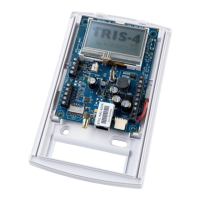
Details the circuit board layout and component identification for the IRIS-4 160 model.
Details the circuit board layout and component identification for the IRIS-4 2xx models.
Details the circuit board layout and component identification for the IRIS-4 4xx models.
Details the circuit board layout and component identification for the IRIS-4 6xx models.
Pre-installation checks and required information gathering before terminal setup.
Provides a step-by-step guide for installing the IRIS-4 terminal.
Describes how to access the terminal's configuration wizard.
Covers the initial settings presented during terminal configuration.
Allows selection of communication interfaces like Ethernet, Wi-Fi, Cellular, or PSTN.
Configuration of the account name/number for the Alarm Receiving Center.
Configuration of the IP address for the Alarm Receiving Center.
Details the steps for configuring communication paths for the terminal.
Selects communication paths (Ethernet, Wi-Fi, Cellular, PSTN) for multipath terminals.
Allows modification of the terminal's account name/number allocated by the ARC.
Allows modification of the IP address for the ARC receiver system.
Configures the primary Ethernet interface (Dialler IP Address) settings.
Configures the secondary Ethernet port, including Cellular Bridge or Routed modes.
Introduces EN54-21:2006 compliance requirements for fire detection systems.
Describes IRIS-4 4xx terminals for fire alarm transmission and backup communications.
Covers the installation, configuration, and commissioning process.
Specifies ARC monitoring reporting times for EN54-21 compliance.
Outlines additional requirements for EN54-21:2006 compliant installations.
Introduces VdS2463 standard compliance for IRIS-4 terminals.
Covers the installation procedure and requirements for VdS 2463 compliance.
Describes functional changes when operating in VdS modes.
Details relay and pin assignments for VdS Intruder mode.
Details relay and pin assignments for VdS Fire mode.
Lists essential requirements for adhering to the VdS2463 standard.
Explains possible trouble reports displayed on the terminal and their causes.
Provides options to test communication paths and functions.
Simulates a cellular fault for testing ARC's path fault event reception.
Checks terminal status using SYS LED and troubleshooting via touchscreen.
Monitors and reports battery status, indicating replacement needs.
Instructions for upgrading the terminal's software to the latest version.
Performs end-to-end alarm tests to verify system operation.
 General
| Touchscreen | Capacitive |
|---|---|
| Power Supply | 5V DC |
| Resolution | 480 x 272 pixels |
| Connectivity | Wi-Fi, Bluetooth |
| Operating System | Android |
| Operating Temperature | -10°C to 50°C |
| Display | 4.3-inch LCD |


 To Next Page