63
Weather Station with Wireless Outdoor Sensor WS 1600
English
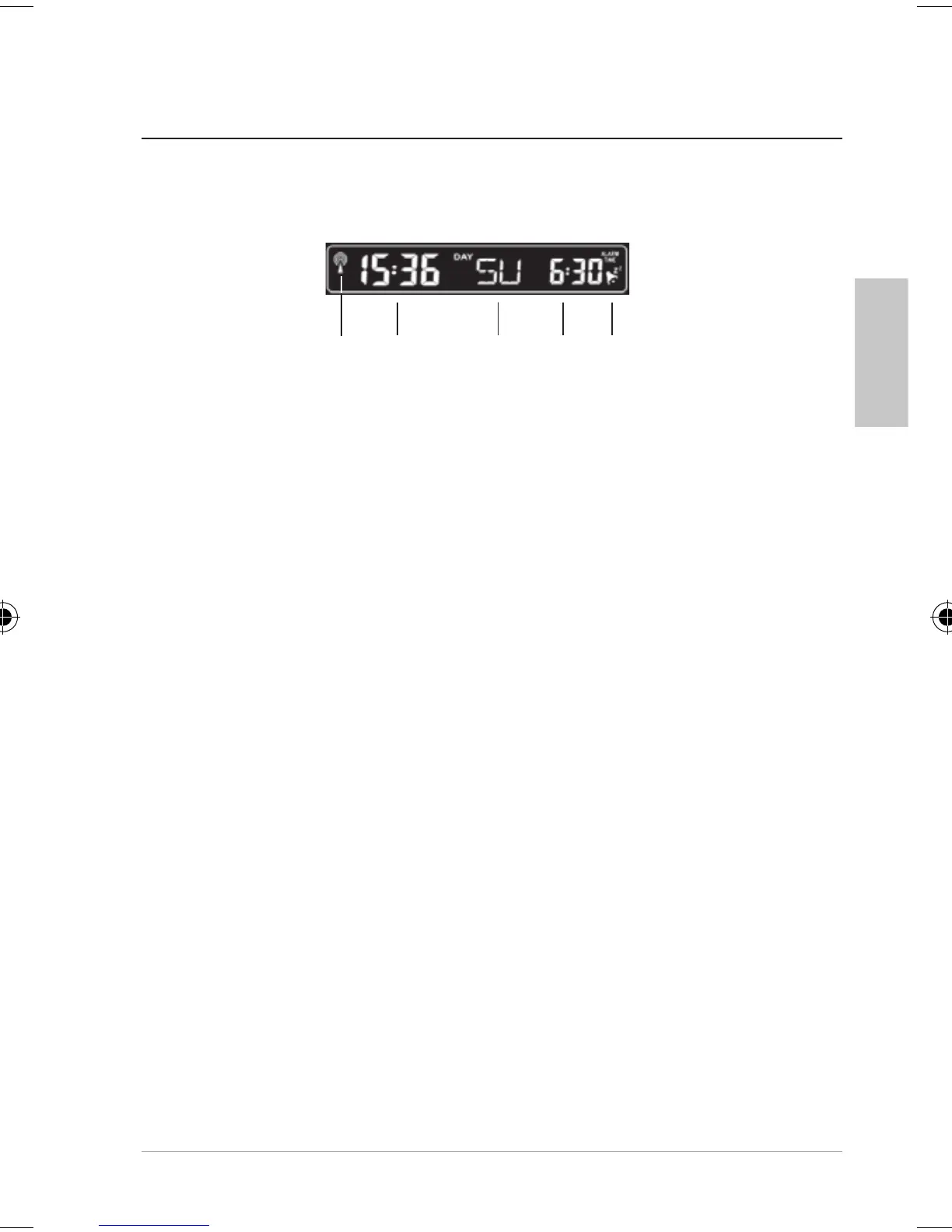
1 Symbol for signal reception from time signal
transmitter
2 Current time in 12- or 24-hour format
When the time is displayed in 12-hour format, the
hours after midday are tagged with “PM“.
3 Current day of the week
4 Set alarm time
By repeatedly pressing the TIME button, the following
values can be displayed instead of the set alarm time:
Seconds
Day and month
5 Alarm is activated, see “Alarm”
1
2
3 4 5
Display indicators of the base station
Date and week indicator
FW Station 1600.indb 63 12.04.2016 13:04:53



 To Next Page