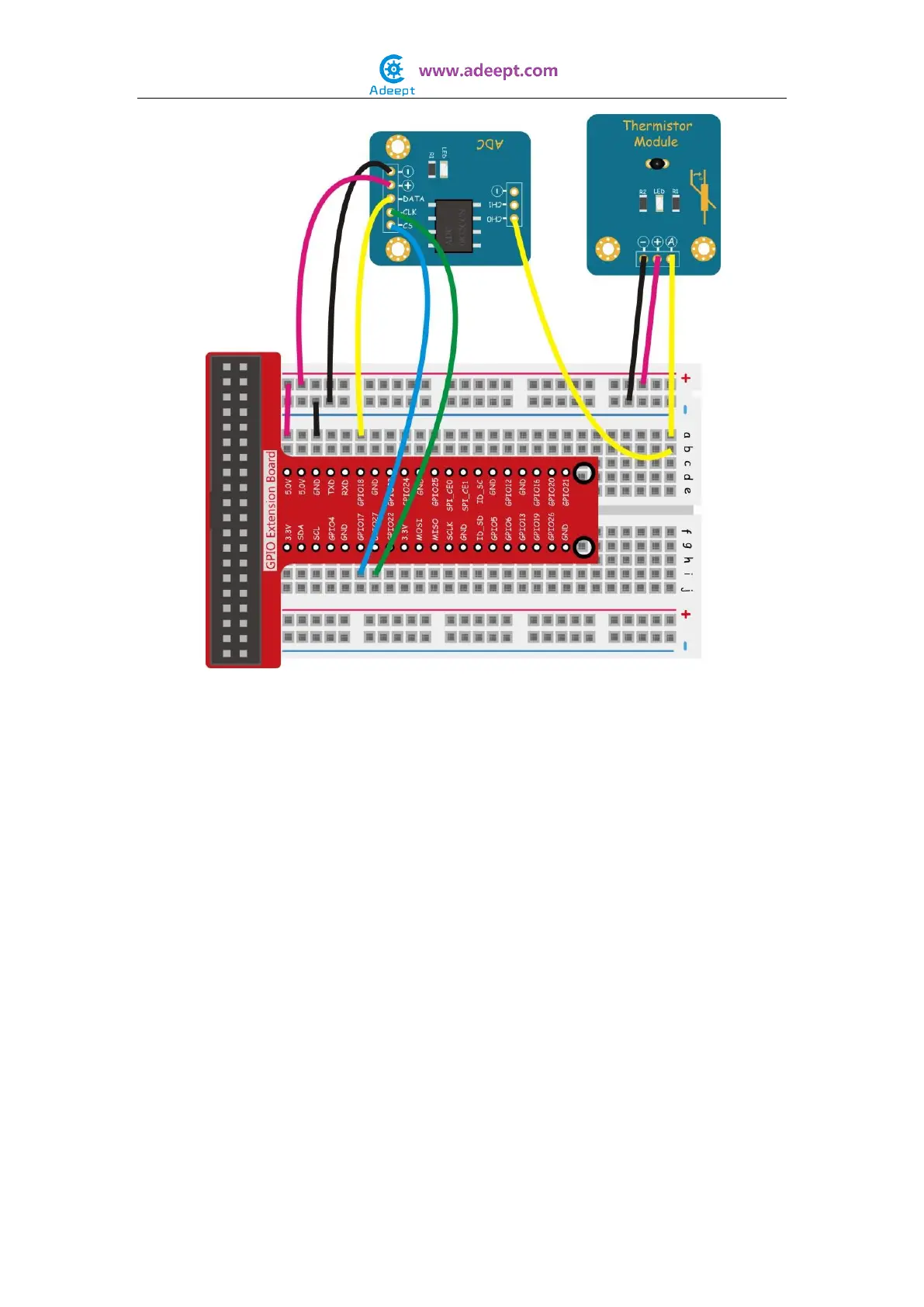
For C language users:
Step 2: Edit and save the code with vim or nano.
(code path: /home/Adeept_Sensor_Kit_for_RPi_C_Code/29_thermistor/thermistor.c)
Step 3: Compile
$ sudo gcc thermistor.c -o thermistor -lwiringPi
Step 4: Run
$ sudo ./thermistor
For Python users:
Step 2: Edit and save the code with vim or nano.
(code path: /home/Adeept_Sensor_Kit_for_RPi_Python_Code/29_thermistor.py)
Step 3: Run
$ sudo python 29_thermistor.py
Now, touch the thermistor, and you can see the value displayed on the screen, which
changes accordingly.


 To Next Page