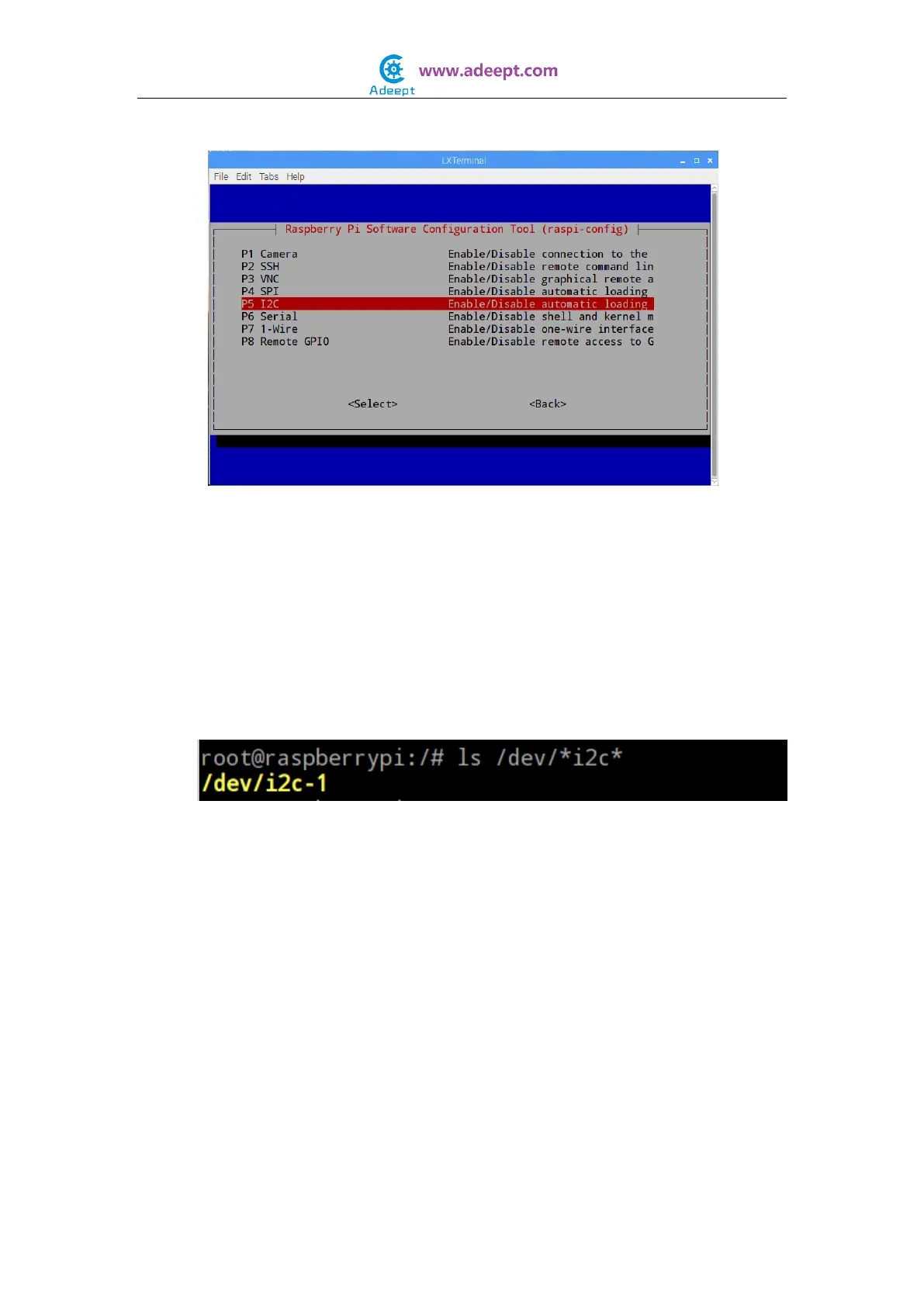
Arrow down to P5 I2C
Select yes when it asks you to enable I2C.
Also select yes when it tasks about automatically loading the kernel module.
Use the right arrow to select the <Finish> button.
Select yes when it asks to reboot.
The system will reboot. when it comes back up, log in and enter the following
command:
$ ls /dev/*i2c*
The Pi should respond with
/dev/i2c-1
Which represents the user-mode I2C interface.
For C language users:
Step 3: Edit and save the code with vim or nano.
(code path: /home/Adeept_Sensor_Kit_for_RPi_C_Code/35_LCD1602/i2c_lcd1602.c)
Step 4: Compile
$ sudo gcc i2c_lcd1602.c -o i2c_lcd1602 -lwiringPi -lwiringPiDev
Step 5: Run
$ sudo ./i2c_lcd1602


 To Next Page