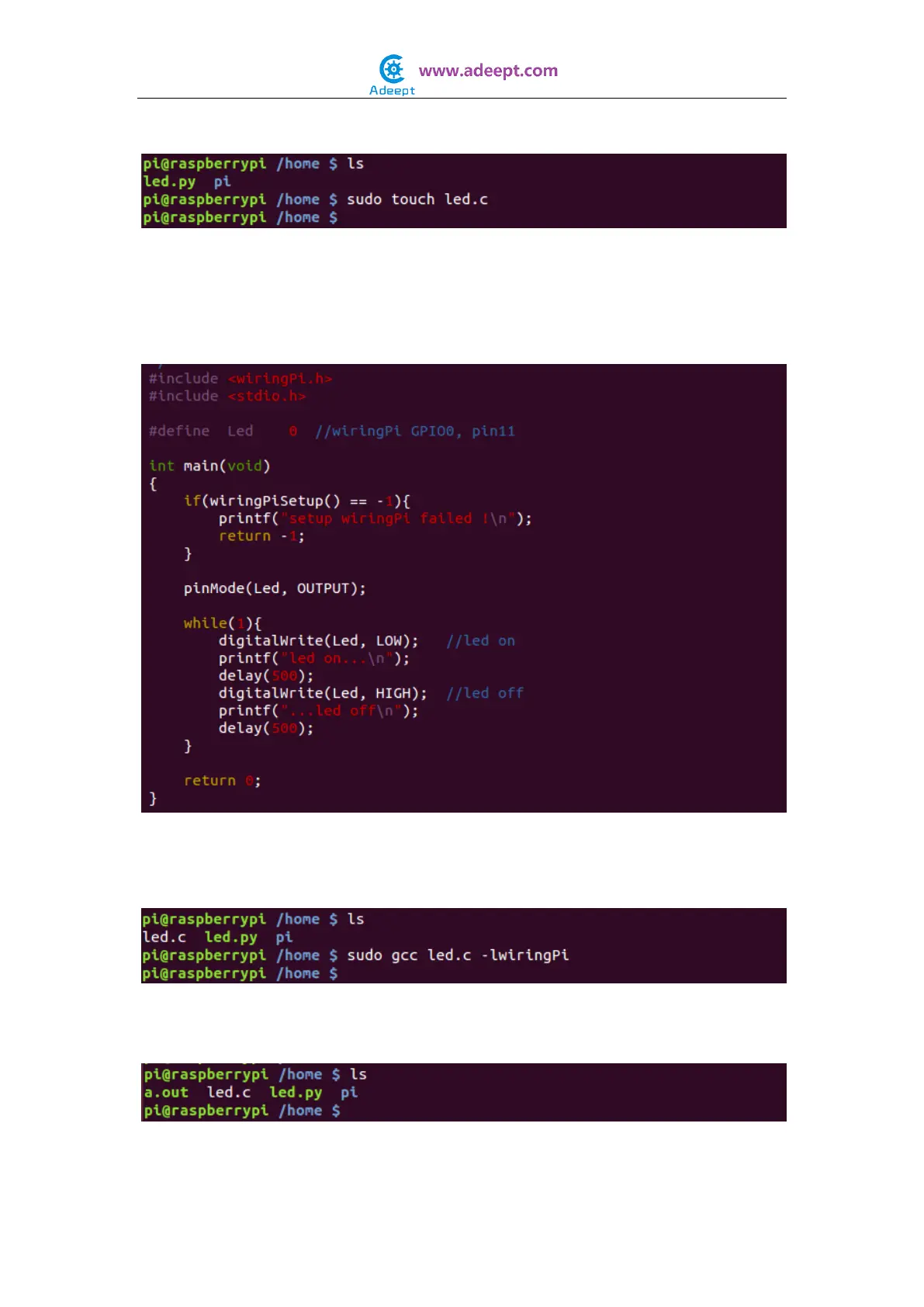
$ sudo touch led.c
Step 3: Open the file led.c with vim or nano
$ sudo vim led.c
Write the following source code, then save and exit.
Step 4: Compile the code
$ sudo gcc led.c -lwiringPi
After the command is executed, you'll find a file named a.out appear in the
current directory. It is an executable program.
Step 5: Run


 To Next Page