User Code Setup (cont'd)
34
SCREEN ACTION
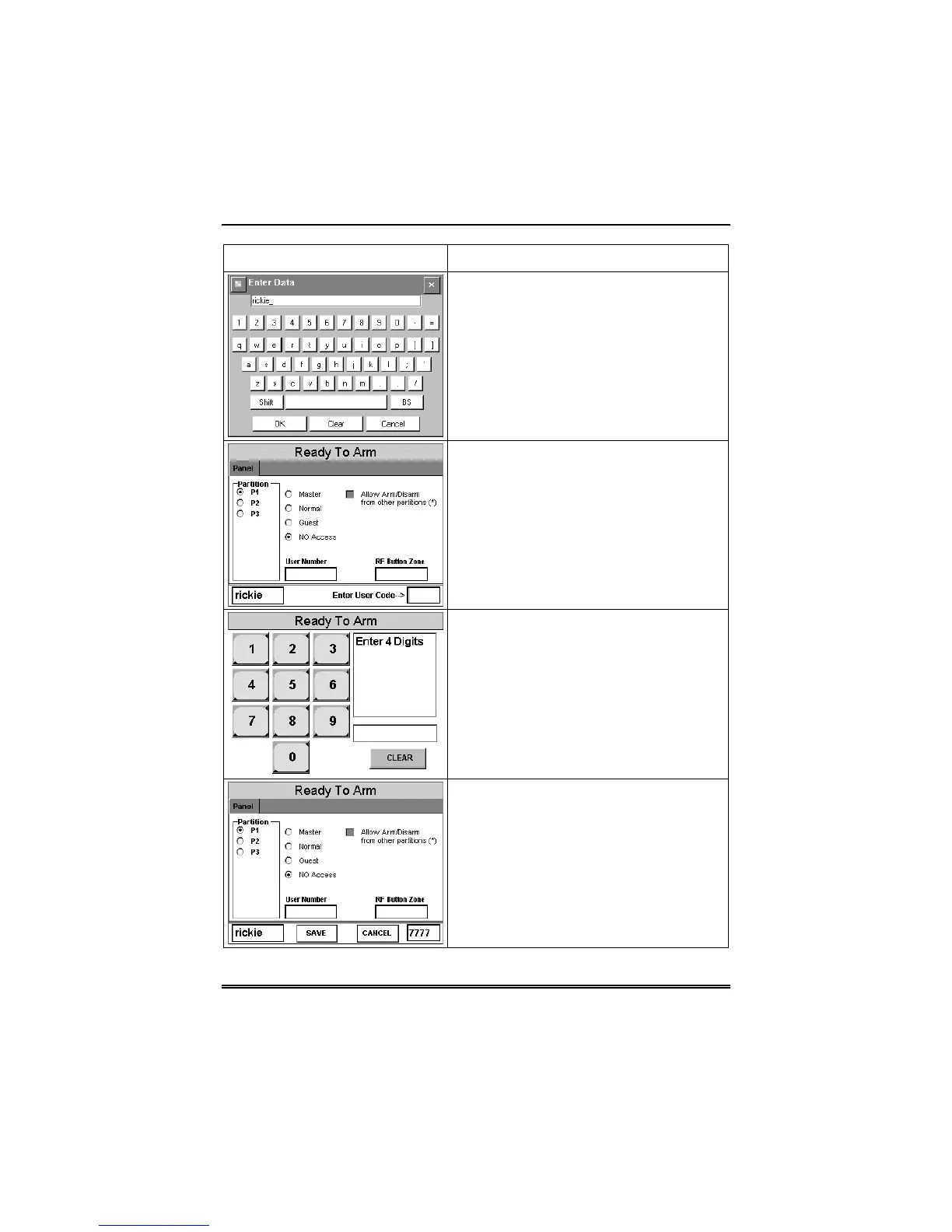
4. Type in the user name (6 characters
max.) and press the
OK
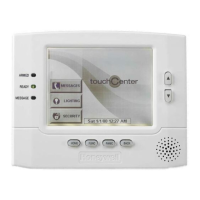
button. The
“User Options” screen is displayed with
Enter User Code…
displayed.
5. Touch the box next to
Enter User
Code…
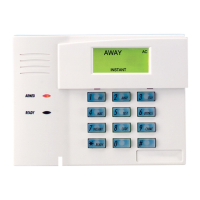
The "User Authorization" screen
is displayed with the instructions
Enter 4
Digits
.
6. Enter the 4-digit code for this user.
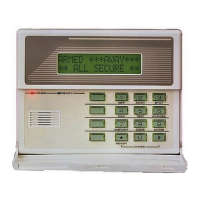
The “User Options” screen is displayed
with the user’s name and code displayed.
7. Select the partitions and access level
for this user. After the access level is
selected, the
Allow Arm/Disarm from
other partitions
box becomes available.
If this user is to be able to Arm and
Disarm from other partitions, touch this
box.


 To Next Page