Intercom Operation
– 13 –
Intercom Operation
If installed, the intercom allows individuals inside the premises to
communicate with other individuals inside or outside the premises
via the inside and outside stations. Outside stations do not have user-
accessible keys.
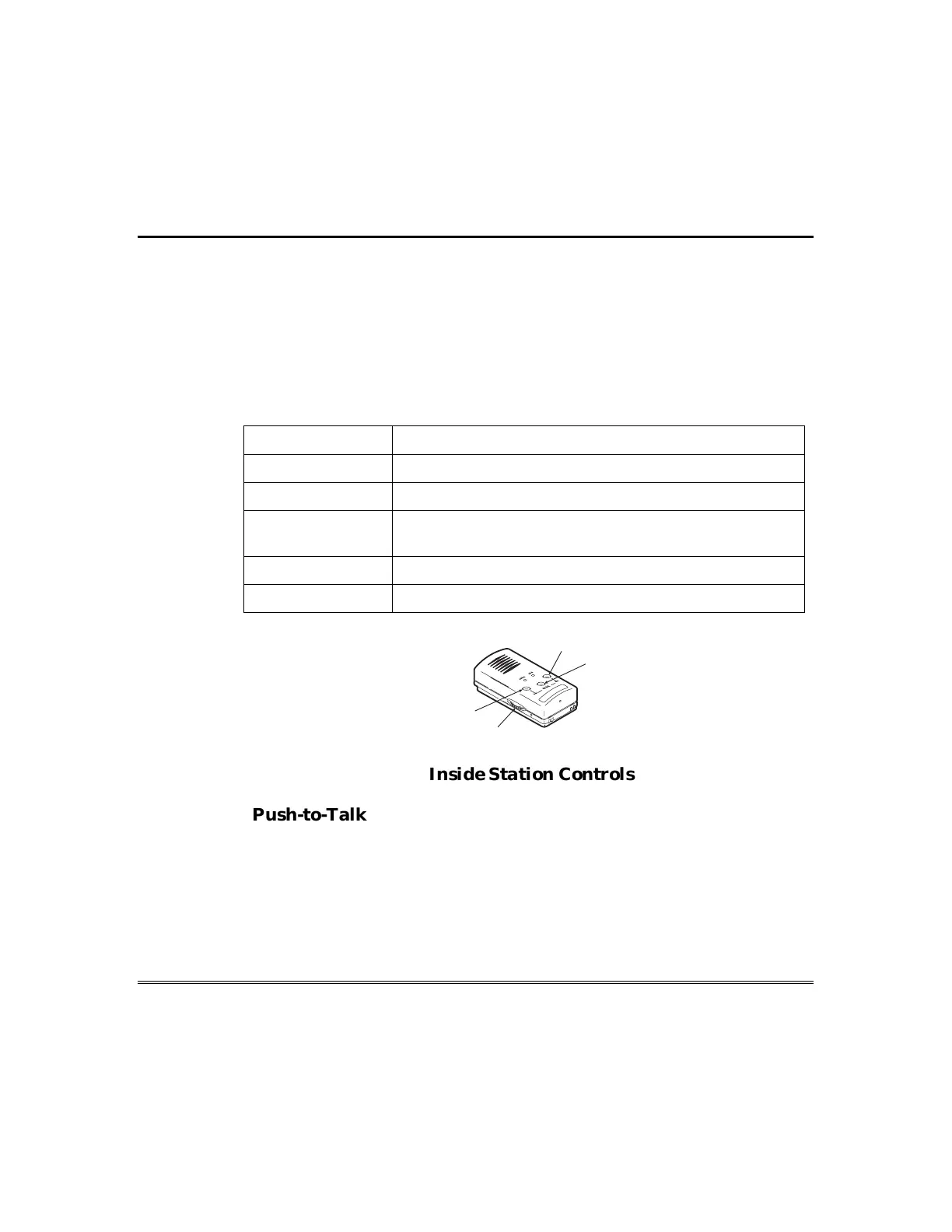
Inside Station Controls
Control Function
IN key Used to address other inside stations.
OUT key Used to address outside stations.
END key Used to end intercom session, end monitor mode, end
phone call, or turn mute mode on or off.
IN + END keys Used to activate monitor mode.
Volume dial Allows speaker sound level to be adjusted.
OUT
END
IN
VOLUME
CONTROL
MO
NITOR
M
ON
I
T
OR O
N
MUT
EON
P
HONE
HOLD T
O
M
U
T
E
Inside Station Controls
Push-to-Talk/Release-to-Listen
To broadcast a message from one inside station to all other inside
stations, speak into the station while pressing and holding the IN
key. You may listen for responses to your message from individuals at
the other inside stations by releasing the IN key. Use the OUT key in
the same manner to broadcast messages to and listen for responses
from the outside stations. You may press the IN or OUT key to talk




 To Next Page