Industrial Electronic Devices
ADFweb.com S.r.l.
Document code: MN67912_ENG Revision 1.000 Page 23 of 30
Insert the IP Address configured in the converter;
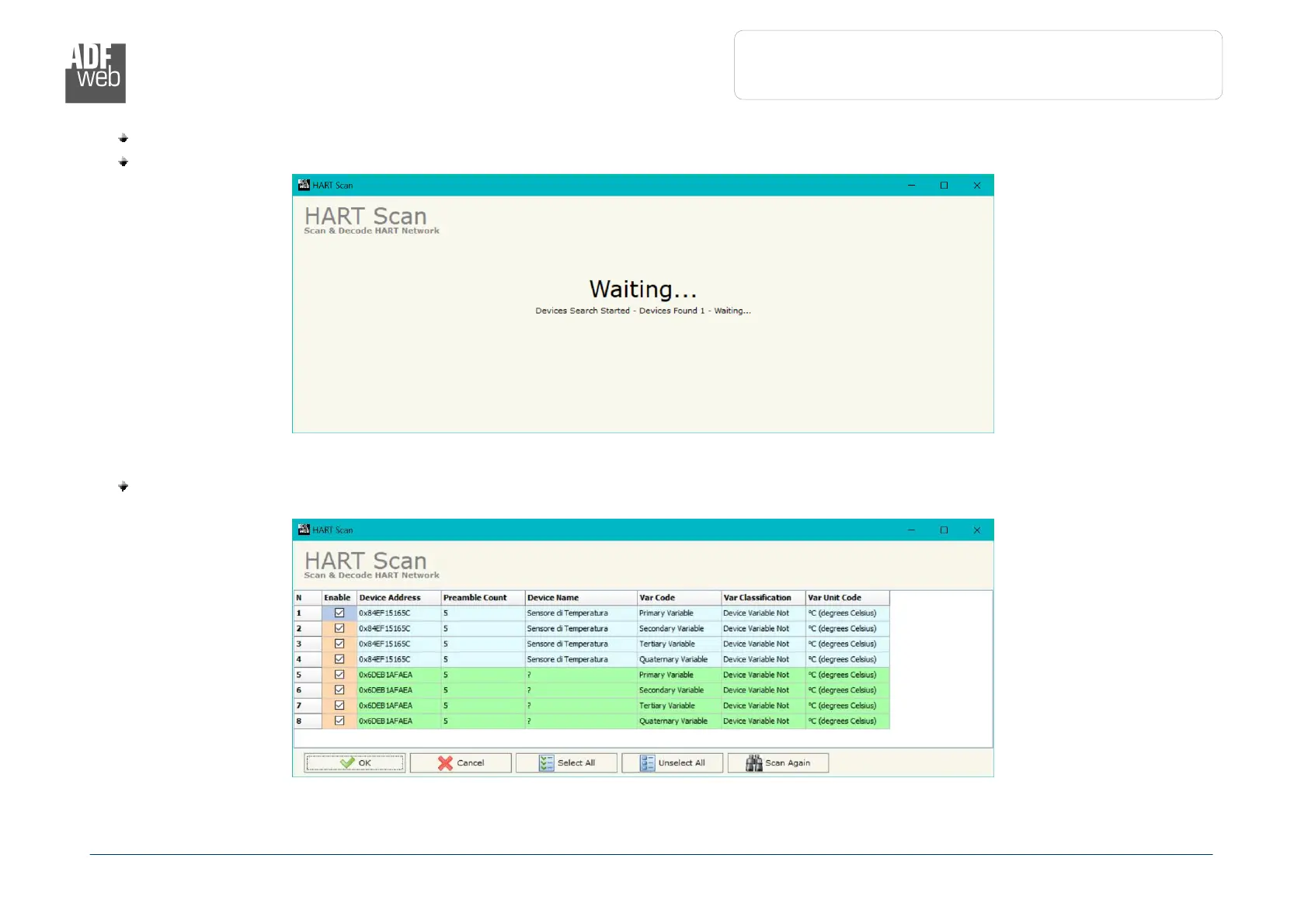
Start the Scan by clicking on “Start Scan” button. The window will appear like below:
When the Scan is complete, the software will show the results. You can import the data by clicking on “OK” button after having
selected the required variables. The results will be displayed as below:


 To Next Page