17
100 LAP FRONT BUTTON PLUS DIGITAL
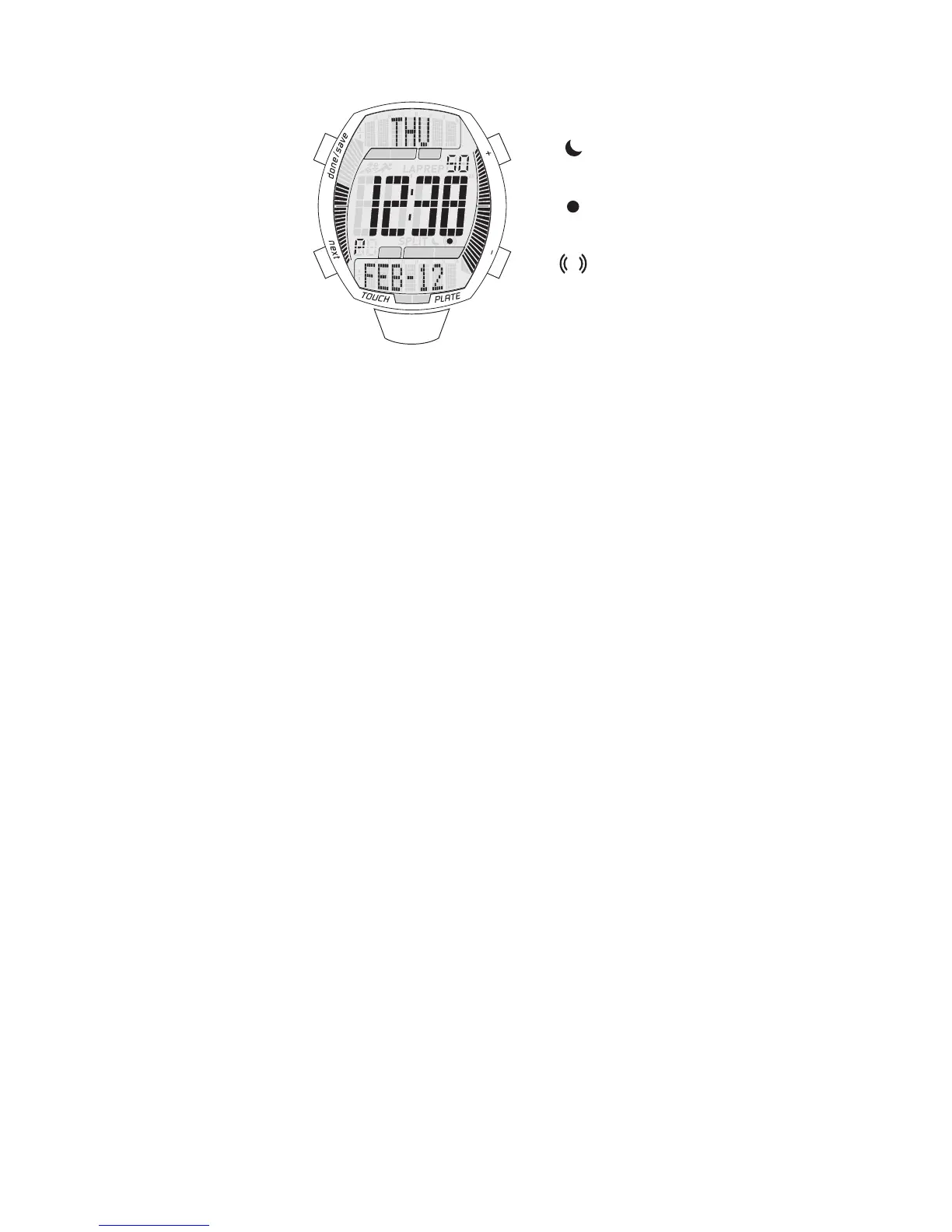
NORMAL TIME DISPLAY
1. Press A for EL.
2. Press B to change modes.
3. Press C for EL; press and hold C to toggle Auto EL on/off. When Auto EL is on,
press any key for EL.
4. Press D to flash Time Zone 2; press and hold D to toggle Time Zone 2 mode/
normal time display.
5. Press E for Chronograph mode; press and hold E to toggle chime on/off.
NOTE: To master reset the watch, press and hold A, B, D and E for 5 seconds. All data
will be erased, and all settings will be set to default.
TIME/CALENDAR SETTING
1. In normal time display, press and hold A to enter setting mode; touch/ask me off
will begin flashing.
2. Press D to toggle touch/ask me on/off.
NOTE: If touch/ask me is set to on, you will be asked in chronograph mode if you want
to activate the touch plate.
3. Press B to set and advance to next setting value.
4. Press D to decrease; press E to increase.
5. Setting sequence is: touch/ask me, city, hour, minute, second, DST on/off, year,
month, date, 12/24-hour time.
6. Press A to save data and exit setting mode.
TIME ZONE 2 MODE
1. In normal time display, press and hold D to enter time zone 2 mode; city will be at
the top of the display.
2. Press and hold E to make the time zone 2 city the normal time. All functions of the
normal time setting mode will carry over to the new time zone.
TIME ZONE 2 SETTING
1. In time zone 2 mode, press and hold A to enter setting mode; city will begin flashing.
2. Press D for previous city; press E for next city.
3. Press C to toggle DST on/off.
4. Press A to save data and exit setting mode.


 To Next Page