15
CONTROL PANEL
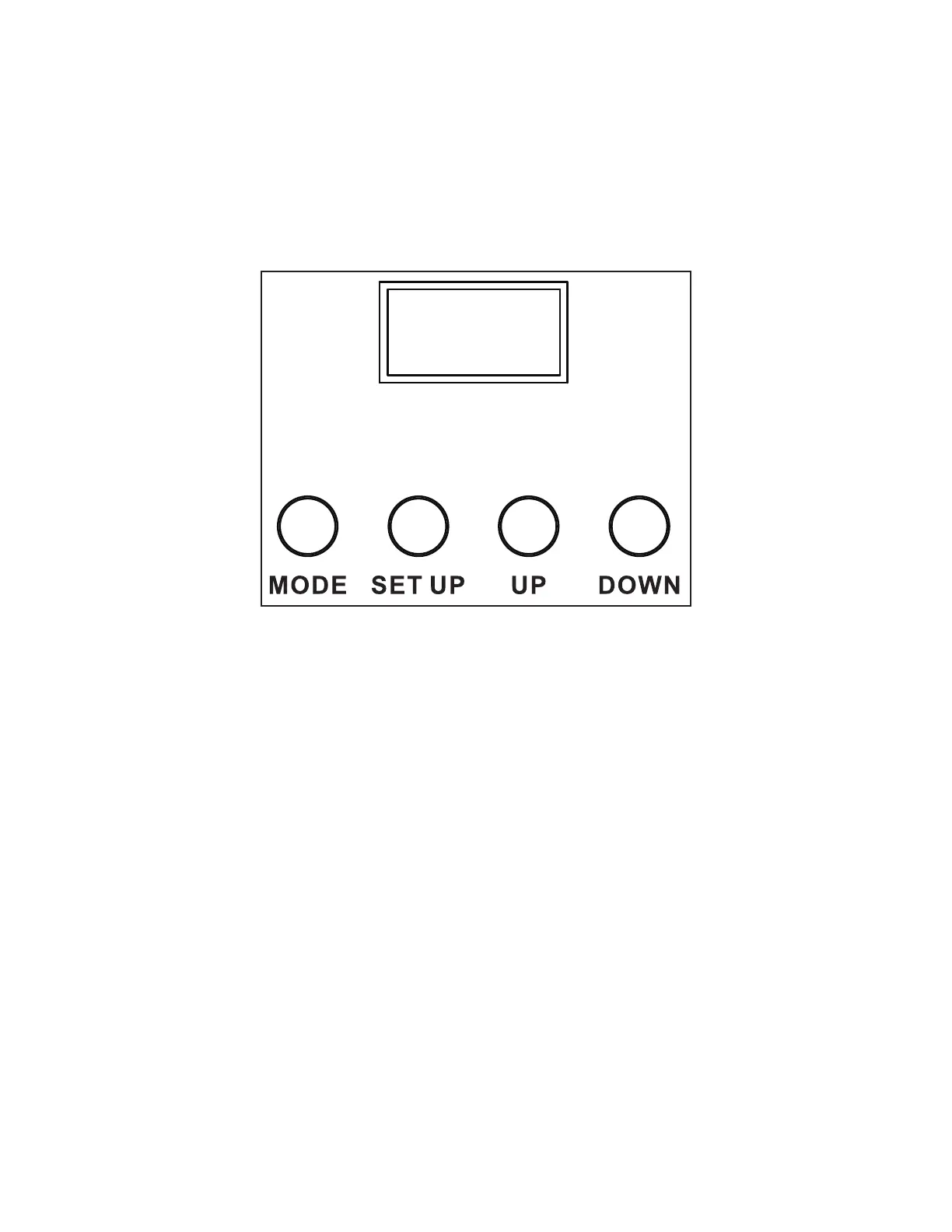
The xture includes an easy to navigate system menu control panel display where all necessary set-
tings and adjustments are made. (See image below)
• MODE: Cycles through the main menu options and/or return to previous menu without making
changes.
• DOWN/UP: Scroll through options in the selected menu.
• SETUP: Select highlighted option and/or confirm selection.
DISPLAY SCREEN LOCK
When the Display Lock setting is set to 1~10min, the display screen will automatically lock if there is
no activity for the specified length of time. To unlock the display screen, simply press and hold the
MODE button for 3 seconds. Alternately, when the Display Lock setting is set to OFF, the display
screen will never automatically lock. However, it can still be manually locked by pressing and hold-
ing the MODE button for 2 seconds. To unlock, press and hold the MODE button for 3 seconds.



 To Next Page