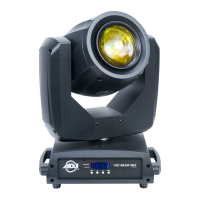
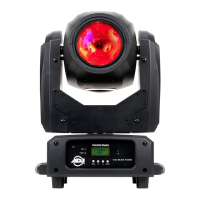
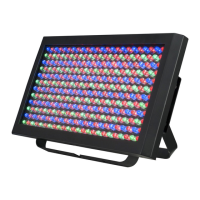
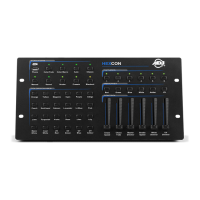
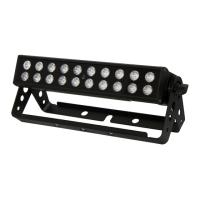
The ADJ Revo 4 IR is an intelligent LED fixture designed for lighting applications, offering versatile control and operating modes. It can function as a stand-alone unit or be integrated into a larger lighting system, making it suitable for various professional sound and lighting setups. The device is DMX-512 protocol compatible, supporting both 4-channel and 256-channel DMX modes, allowing for intricate programming and control tailored to individual needs.
Function Description
The Revo 4 IR features RGB + White LEDs, enabling a wide spectrum of color mixing and pattern projections. It operates in three primary modes:
- Sound-Active Mode: In this mode, the unit reacts to the beat of the music, creating dynamic light shows. Users can adjust the sound sensitivity to ensure optimal response to different audio levels. This mode can be used for single units or multiple units linked together.
- Show Mode: The fixture comes with 12 pre-programmed shows (SH 1 - SH 12), plus a random show mode (SH 0). These shows can run independently or with sound active mode enabled, where the shows will tend to run faster. This allows for automated lighting sequences without the need for external control.
- DMX Controlled Mode: This is the most advanced mode, allowing users to control the fixture via a DMX-512 controller. With either 4 or 256 DMX channels, users can create unique programs, manipulating various traits such as patterns, chases, colors, chase speed, and strobe effects. The DMX address can be set electronically via the unit's rear panel controls.
The Revo 4 IR also supports a Primary/Secondary Configuration, allowing up to 16 units to be linked together and operate without a dedicated DMX controller. In this setup, one unit acts as the primary controller, dictating the programs, while the other units (secondary 1 or secondary 2) follow its lead. This is ideal for synchronized light shows in smaller setups or when a DMX controller is not available.
A Power Cord Daisy Chain feature allows multiple fixtures to be connected to a single power outlet, simplifying power distribution. Up to 12 fixtures can be connected at 120V, and up to 21 fixtures at 230V. It is important to connect only identical fixtures in a daisy chain.
The unit includes an internal microphone for sound-active operation and a digital display for easy address and function setting. It is also compatible with the UC IR infrared remote (sold separately) and the Airstream IR remote-transmitter (which plugs into an iOS phone or tablet), offering convenient wireless control over various functions like blackout, full on, strobe, color selection, show selection, and sound active mode activation/deactivation.
Usage Features
The Revo 4 IR is designed for ease of use and flexibility:
- Automatic Voltage Switching: The unit features an automatic voltage switch, eliminating the need to worry about correct power voltage as it can be plugged in anywhere within its voltage range.
- System Menu: A comprehensive system menu allows users to configure various settings:
- DMX Address Setting (ADDR): Easily set the DMX address for control via a DMX controller.
- Channel Mode (CHND): Switch between 4-channel and 256-channel DMX modes.
- Primary/Secondary Configuration (SCND): Designate the unit as primary, secondary 1, or secondary 2 for linked operation.
- Show Mode Selection (SHND): Choose from 12 preset shows or a random show mode.
- Sound Mode (SOUN): Enable or disable sound-active operation.
- Sound Sensitivity (SENS): Adjust the microphone's sensitivity to sound.
- DNST (Precaution Mode): This crucial feature allows users to define the unit's behavior in case of DMX signal loss, interruption, or power loss. Options include:
- PRSE (Primary Secondary): The unit will automatically enter Primary Secondary mode and run a built-in show.
- BLND (Blackout): The unit will go into standby mode.
- LAST: The fixture will maintain its last DMX setting, or return to the last DMX setup if power is applied.
- LED Display Control (LED): Configure the LED display to turn off after 2 minutes of inactivity or remain on.
- Display Inversion (DISP): Reverse the display 180° for easier viewing in certain mounting orientations.
- Self-Test (TEST): Run a self-test program to check the unit's functionality.
- Fixture Hours (FHRS): Display the total running time of the unit.
- Software Version (VER): View the current software version.
- DMX Linking: When using DMX, it is recommended to use the shortest cable path possible and to use a terminator on the last unit in the chain for longer cable runs (over 100 feet) to prevent erratic behavior. Standard 3-pin XLR DMX cables are used, and a conversion chart is provided for integrating 5-pin XLR DMX connectors.
- Remote Control: The UC IR remote and Airstream IR transmitter provide convenient control over key functions, including blackout, full on, strobe, color selection, show selection, and sound active mode.
Maintenance Features
Proper maintenance is essential for ensuring the longevity and optimal performance of the Revo 4 IR:
- Fuse Replacement: The fuse holder is easily accessible above the power cord input. A flat-head screwdriver can be used to unscrew the holder, replace the fuse, and re-seat it properly.
- Fixture Cleaning: Regular cleaning is recommended to optimize light output and extend the life of the unit.
- External Casing: Wipe down with normal glass cleaner and a soft cloth.
- Cooling Vents and Fan Grill: Use a brush to remove dust and debris.
- External Optics and Mirror: Clean with glass cleaner and a soft cloth every 20 days.
- Internal Optics: Clean with glass cleaner and a soft cloth every 30-60 days.
- Drying: Always ensure all parts are completely dry before plugging the unit back in.
- Frequency: Cleaning frequency depends on the operating environment; monthly cleaning is recommended for heavy club use.
- Troubleshooting: The manual provides solutions for common issues, such as no light output (checking the fuse and fuse holder) and the unit not responding to sound (ensuring low frequencies are present and adjusting sound sensitivity).
- Safety Precautions: Adherence to safety guidelines is crucial. This includes avoiding exposure to rain or moisture, not spilling liquids, not operating with frayed power cords, not removing the ground prong, disconnecting from main power before connections, not removing the cover, ensuring proper ventilation (at least 6 inches from walls), not operating damaged units, using the unit indoors only, mounting securely, routing power cords safely, and ensuring servicing by qualified personnel if objects fall into the unit, it's exposed to water, or it exhibits abnormal operation.
- Lens Warning: Due to the magnifying lens, it is critical to keep the lens out of direct sunlight to prevent heat buildup and serious damage to the unit.
The ADJ Revo 4 IR is a robust and versatile lighting fixture designed for reliable performance and ease of maintenance, offering a range of features for both automated and controlled lighting applications.

 Need help?
 Power
Power Lighting

 To Next Page