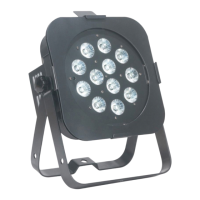
Flat Par TW12 ADJ LED RC3 Operation
ADJ Products, LLC - www.adj.com - Flat Par TW12 User Manual Page 12
The ADJ LED RC3 infrared remote (sold seperately) has many dierent functions and gives you
complete control of your Flat Par TW12. The controller must be aimed at the front of the xture, and
maximum range is 30 feet. To use the ADJ LED RC3 you must rst activate the xtures infrared re-
ceiver, as described in the Operating Instructions section of this manual.
BLACKOUT - Pressing this button will blackout the xture.
AUTO RUN - Pressing this button will cycle through the auto run mode, color fade mode, and color
change. You can control the speed of the 3 modes by pressing the SPEED button rst and then
pressing the “+” and “-” buttons. In color fade and color change mode, press the “+” and “-” but-
tons to scroll through the 8 modes.
PROGRAM SELECTION - Pressing this button activates static color mode. Use the “+” or “-” to
scroll through the 32 colors. Press Flash to activate/deactivate strobing. Use the “+” and “-” buttons
to adjust the strobe speed.
DMX MODE - Press this button to cycle between DMX Channel mode selection, DMX addressing,
DMX State, and dimming curve selection. Each press of this button will cycle to the next mode.
In DMX State mode press the the “+” and “-” buttons to scroll through the DMX state modes. See
the Operating Instructions section of this manual for more info.
1. In DMX address mode press the the “+” and “-” buttons to adjust the DMX address.
2. In dimmer curve setting press the the “+” and “-” buttons to scroll through the dimmer curves.
See the Operating Instructions section of this manual for more info.
3. In DMX Channel selection press the “+” and “-” buttons to scroll through the dierent DMX
Channel modes. See the Operating Instructions section of this manual for more information.
The lighting display will indicate which DMX channel mode has been selected, as follows:
• If the Warm White LED’s glow you are in 2 Channel Mode.
• If the Cool White LED’s glow you are in 3 Channel Mode.
• If the Amber LED’s glow you are in 4 Channel Mode.
• If the Warm & Cool White LED’s glow you are in 5 Channel Mode.
• If the Warm White & Amber LED’s glow you are in 8 Channel Mode.
• If Cool White & Amber LED’s glow you are in 9 Channel Mode.
SOUND ACTIVE - This button activates sound active mode. Use the “+” and “-” buttons to scroll
through the 8 sound active modes. Press the Speed button and use the “+” and “-” buttons to ad-
just the sound sensitivity level.
SECd - This designates the xture as a secondary xture in a primary/secondary conguration.




 To Next Page