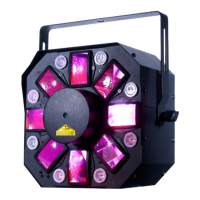
Quad Phase HP UC-IR Operation
The UC-IR infrared remote has many different functions and gives you complete control
of your Quad Phase HP. To control the your desired xture you must aim the controller
at the front of the xture and be no more the 30 feet away.
STAND BY - Pressing this button will blackout the xture.
FULL ON - Hold this button down to fully light up the unit. When you let the button go,
the unit will return to its previous state.
COLOR - Press this button to enter Dimmer mode. Use the 1-9 but- tons to select your
desired color. Adjust the output intensity using the “DIMMER +” and “DIMMER -” buttons.
STROBE - This button will activate the strobe effect. You can control the ash rate by
pressing the “DIMMER +” and “DIMMER -” buttons. If you press and hold this button the
unit will begin to strobe.
SOUND ON & OFF - These buttons activate and deactivate the sound active mode.
SHOW - This designates the xture as a secondary xture in a primary/secondary
conguration.
“DIMMER +” and “DIMMER -” - Use these buttons to adjust the out- put intensity and to
adjust the strobe speed.
ADJ Products, LLC - www.adj.com - Quad Phase HP - User Manual - Page 14


 To Next Page