ADJ Products, LLC - www.adj.com - Starburst Instruction Manual Page 12
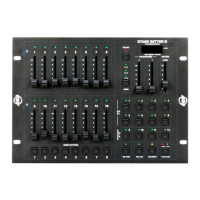
Universal DMX Control: This function allows you to use a univer-
sal DMX-512 controller to create unique programs tailored to your
individual needs.
1. The Starburst is a 12 channel DMX fixture. See pages 13-14 for a
detailed description of the DMX values and traits.
2. To control your fixture in DMX mode, follow the set-up procedures
on pages 6-8 as well as the set-up specifications that are includ-
ed with your DMX controller.
3. Use the controller’s faders to control the various DMX fixture traits.
4. This will allow you to create your own programs.
5. Follow the instructions on page 9 to set the DMX address.
6. For longer cable runs (more than a 100 feet) use a terminator on
the last fixture.
7. For help operating in DMX mode consult the manual included
with your DMX controller.
Starburst DMX Control
Master-Slave Operation This function will allow you to link up to 16
units together and operate without a controller. In a Master-Slave set
up one unit will act as the controlling unit and the others will react to the
controlling units programs. Any unit can act as a Master or as a Slave.
1. Using approved DMX data cables, daisy chain your units togeth-
er via the XLR connector on the rear of the units. Remember the
Male XLR connector is the input and the Female XLR connector
is the output. The rst unit in the chain (master) will use the female
XLR connector only - The last unit in the chain will use the male
XLR connector only. For longer cable runs we suggest a termina-
tor at the last fixture.
2. For the Master unit press the MENU button until “SLND” is
displayed, and press ENTER. Set the unit to “MAST” and press
ENTER.
3. Next set the Master to your desired operating mode.
4. For the slave units press the MENU button until “SLND” is dis-
played, and Press ENTER. Set the slave units to either “SL 1” or
“SL 2”.
5. The slave units will now follow the Master unit.
Starburst Master-Slave Configuration
ADJ Products, LLC - www.adj.com - Starburst Instruction Manual Page 13
VER - Use this function to display the Software version of
the unit.
1. Press the either the MENU button until “VER” is displayed, press
ENTER.
2. The display will show the software version.
RSET - This function will reset the unit.
1. Press the MENU button until “RSET” is displayed. Press the
ENTER button and the unit will reset itself.
Starburst System Menu








 To Next Page