ADJ Products, LLC - www.adj.com - Rayzer User Manual Page 15
DEF - Use this function to revert to default settings.
1. Press the MENU button until “DEF” is displayed, press ENTER.
2. Either “YES” or “NO” will now be displayed. To revert to defualt setting press the UP or DOWN
button until “YES” is displayed and press ENTER.
RSET - Use this function to reset the unit.
1. Press the MENU button until “RSET” is displayed, press ENTER.
2. The xture will now reset.
Rayzer Operating Instructions
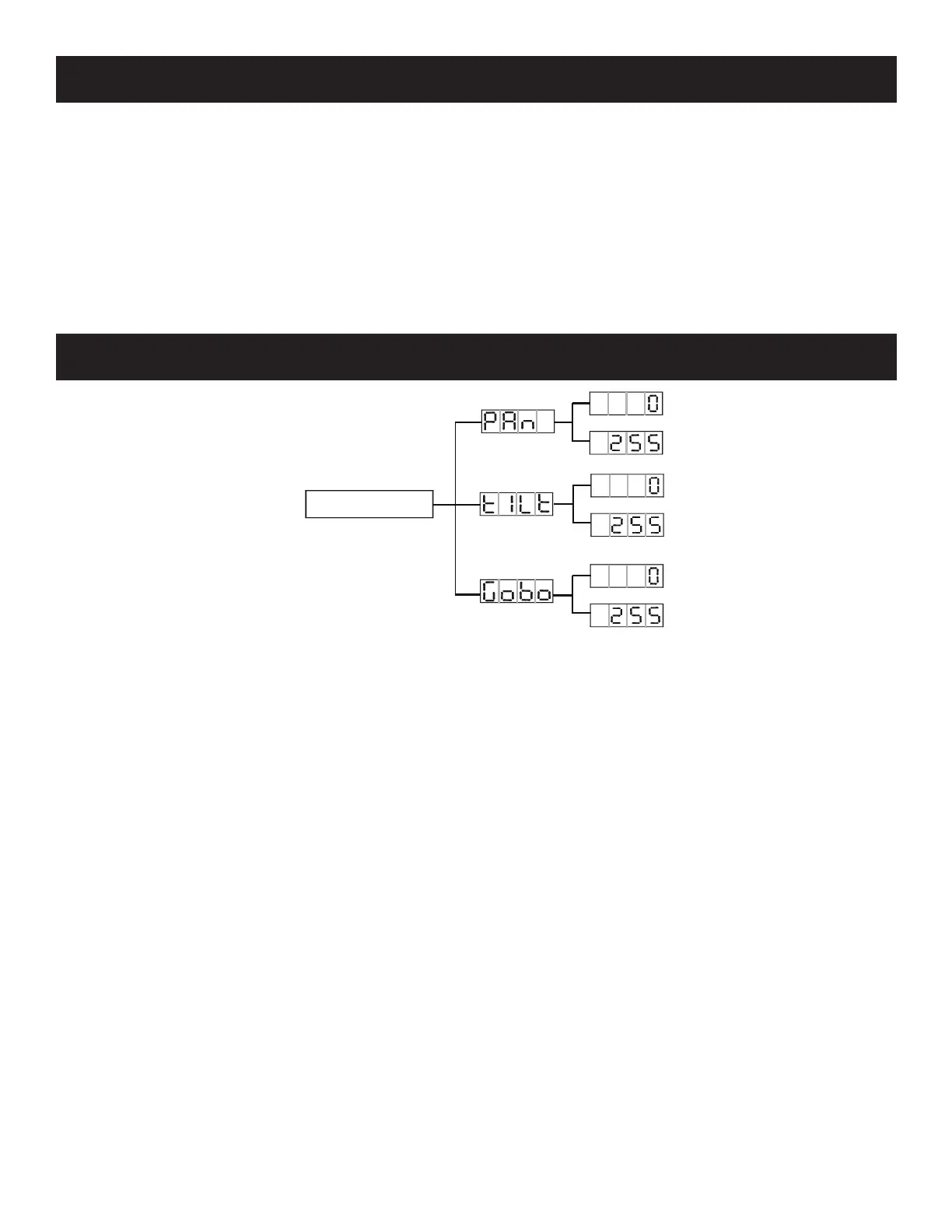
Rayzer Offset Menu
Offset Menu
To enter the Oset Menu, press the ENTER button for at least 3 seconds. In this submenu you are
able to adjust the home position of the pan, tilt, and gobo.
Pan - Adjustment of the pan home position.
1. Press the ENTER button for at least 3 seconds, then press the UP or DOWN buttons so that “Pan”
is displayed, press ENTER.
2. Use the UP and DOWN buttons to make your adjustments, and then press ENTER to conrm.
Press the MENU button to exit.
TILT - Adjustment of the tilt home position.
1. Press the ENTER button for at least 3 seconds, then press the UP or DOWN buttons so that “Tilt”
is displayed, press ENTER.
2. Use the UP and DOWN buttons to make your adjustments, and then press ENTER to conrm.
Press the MENU button to exit.
Gobo - Adjustment for the gobo projection.
1. Press the ENTER button for at least 3 seconds, then press the UP or DOWN buttons so that
“Gobo” is displayed, press ENTER.
2. Use the UP and DOWN buttons to make your adjustments, and then press ENTER to conrm.
Press the MENU button to exit.












 To Next Page