EasyManua.ls Logo

ADJ SCENE SETTER 48 - User Manual

ADJ SCENE SETTER 48
34 pages
Print Icon
To Next Page IconTo Next Page
Loading...
User Manual
SCENE SETTER 48
Revised 05/31/2022
Question and Answer IconNeed help?

Do you have a question about the ADJ SCENE SETTER 48 and is the answer not in the manual?

Summary

Introduction

Limited Warranty (USA Only)

Features

General Instructions

Overview

Front View

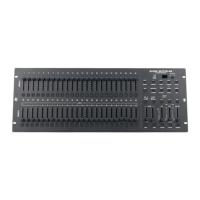
Details the front panel components and their functions across multiple pages, including sliders, buttons, and displays.

Rear View

Details the rear panel connectivity ports and their functions, including power, MIDI, DMX, and audio.

Operation Guide

Begin Programming

Guides the user through enabling record mode and setting up security for programs.

Program Scenes

Explains the process of creating and programming individual scenes or steps into memory.

Editing

Covers enabling edit mode and performing operations like erasing or modifying scenes and steps.

Erase a Program

Describes the procedure for erasing a single program from the device's memory.

Erase All Programs

Details the method to clear all stored programs from the device memory.

Clear a Scene or Scenes

Explains how to clear recorded scenes from the device.

Delete a Step or Steps

Guides on how to remove specific steps from a programmed scene.

Insert a Step or Steps

Describes how to add new steps into an existing programmed scene.

Modify a Step or Steps

Provides instructions on how to adjust the intensity or parameters of existing steps in a scene.

Running

Explains how to run programmed chase programs and control their playback.

Running a Program to Audio

Details how to synchronize program playback with audio input or the built-in microphone.

Running a Program with the Speed Slider

Describes how to control program playback speed using the dedicated speed slider.

Running a Program with Standard Beat

Guides on running programs synchronized to a standard beat or tempo.

Change the Speed Mode Between 5 and 10 Minutes

Explains how to switch the speed mode between 5 and 10 minute intervals.

MIDI Operation

Setting MIDI In

Instructions for configuring the MIDI input channel for external control.

Setting MIDI Out

Instructions for configuring the MIDI output channel for sending data.

Exit MIDI Setting

Procedure to exit the MIDI setting mode.

Receiving MIDI File Dump

Details how to prepare the controller to receive MIDI data dumps.

Sending MIDI File Dump

Details how to send MIDI data from the controller.

Implementation

Explains MIDI data handling, file dump modes, and note data transmission.

DMX Channels

DMX Channel Setup

Guides on assigning, removing, and configuring DMX channels for console channels.

Clear DMX Channel Setup

Explains how to reset DMX channel configurations to factory defaults.

Call 12 Pre-Set Programs

Procedure to load the 12 factory default programs into the controller.

Brief of Main Functions

Quick Reference Guide

Recording

Reference for recording operations including enabling, erasing, and setting up programs and chases.

Play Back

Reference for playback operations including modes, chases, audio sync, and blackout functions.

Setup

Reference for MIDI and DMX setup configurations, including channel assignments and mode settings.

Change Record Code

Instructions on how to change the record code for program security.

Technical Specifications

Summary

Introduction

Limited Warranty (USA Only)

Features

General Instructions

Overview

Front View

Details the front panel components and their functions across multiple pages, including sliders, buttons, and displays.

Rear View

Details the rear panel connectivity ports and their functions, including power, MIDI, DMX, and audio.

Operation Guide

Begin Programming

Guides the user through enabling record mode and setting up security for programs.

Program Scenes

Explains the process of creating and programming individual scenes or steps into memory.

Editing

Covers enabling edit mode and performing operations like erasing or modifying scenes and steps.

Erase a Program

Describes the procedure for erasing a single program from the device's memory.

Erase All Programs

Details the method to clear all stored programs from the device memory.

Clear a Scene or Scenes

Explains how to clear recorded scenes from the device.

Delete a Step or Steps

Guides on how to remove specific steps from a programmed scene.

Insert a Step or Steps

Describes how to add new steps into an existing programmed scene.

Modify a Step or Steps

Provides instructions on how to adjust the intensity or parameters of existing steps in a scene.

Running

Explains how to run programmed chase programs and control their playback.

Running a Program to Audio

Details how to synchronize program playback with audio input or the built-in microphone.

Running a Program with the Speed Slider

Describes how to control program playback speed using the dedicated speed slider.

Running a Program with Standard Beat

Guides on running programs synchronized to a standard beat or tempo.

Change the Speed Mode Between 5 and 10 Minutes

Explains how to switch the speed mode between 5 and 10 minute intervals.

MIDI Operation

Setting MIDI In

Instructions for configuring the MIDI input channel for external control.

Setting MIDI Out

Instructions for configuring the MIDI output channel for sending data.

Exit MIDI Setting

Procedure to exit the MIDI setting mode.

Receiving MIDI File Dump

Details how to prepare the controller to receive MIDI data dumps.

Sending MIDI File Dump

Details how to send MIDI data from the controller.

Implementation

Explains MIDI data handling, file dump modes, and note data transmission.

DMX Channels

DMX Channel Setup

Guides on assigning, removing, and configuring DMX channels for console channels.

Clear DMX Channel Setup

Explains how to reset DMX channel configurations to factory defaults.

Call 12 Pre-Set Programs

Procedure to load the 12 factory default programs into the controller.

Brief of Main Functions

Quick Reference Guide

Recording

Reference for recording operations including enabling, erasing, and setting up programs and chases.

Play Back

Reference for playback operations including modes, chases, audio sync, and blackout functions.

Setup

Reference for MIDI and DMX setup configurations, including channel assignments and mode settings.

Change Record Code

Instructions on how to change the record code for program security.

Technical Specifications

ADJ SCENE SETTER 48 Specifications

General IconGeneral
BrandADJ
ModelSCENE SETTER 48
CategoryDJ Equipment
LanguageEnglish

Related product manuals