25
MIDI OPERATION
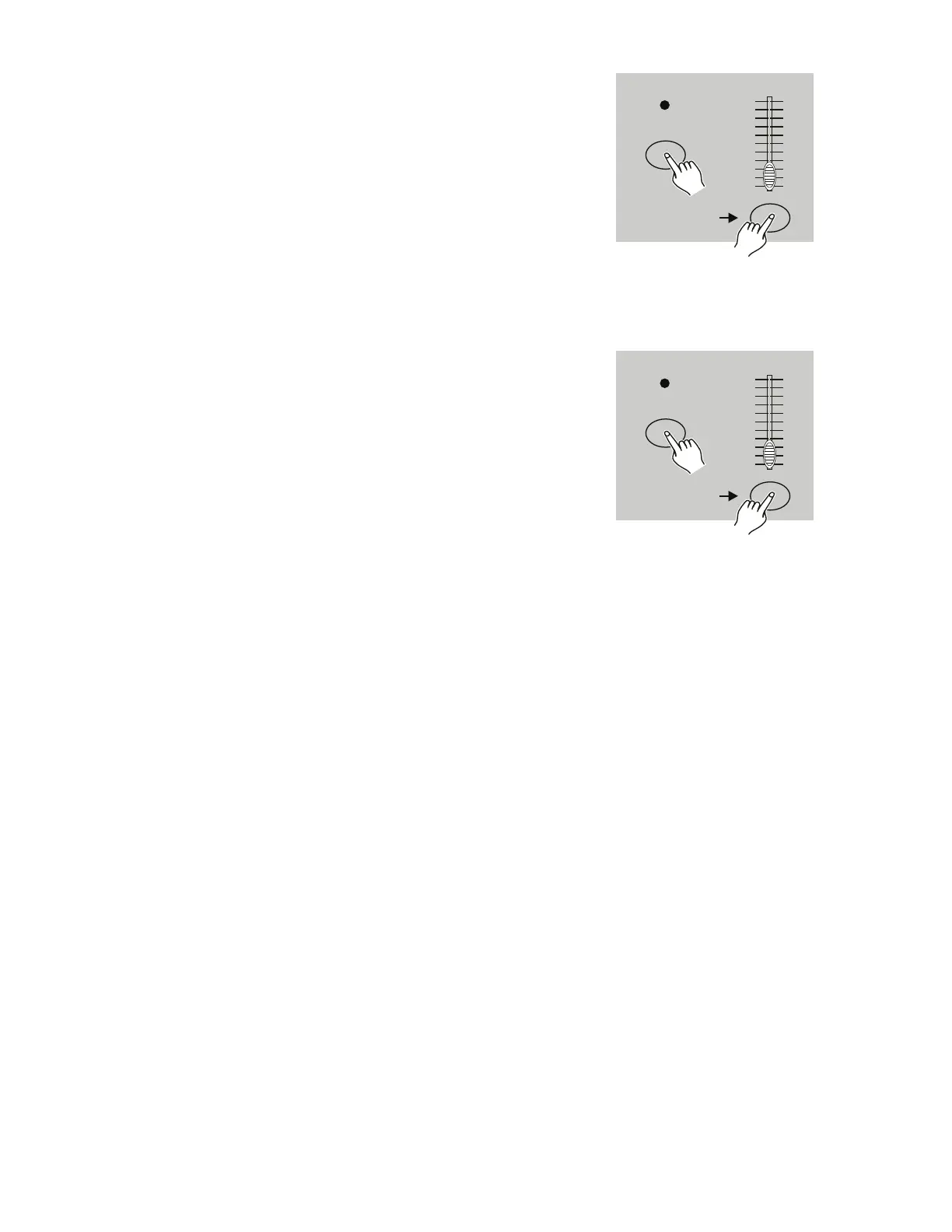
Tap Flash button 3 three times while holding down the
Record button. The Segment Display should read “IN” to
indicate that the controller is ready to receive the MIDI file
dump.
4. RECEIVING MIDI FILE DUMP
RECORD
Flash button 3
Tap this button
three times
10
8
6
4
2
0
10
8
6
4
2
0
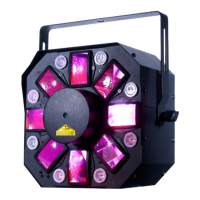
Tap Flash button 4 three times while holding down the
Record button. The Segment Display should read “OUT” to
indicate that the controller is ready to send the file.
NOTE: During a file dump, all of the device’s other
functions will be disabled. Upon completion of the file
dump, these functions will automatically be re-enabled.
Additionally, the file dump will be interrupted and stop if an
error or power failure occurs.
5. SENDING MIDI FILE DUMP
RECORD
Flash button 4
Tap this button
three times
10
8
6
4
2
0
10
8
6
4
2
0


 To Next Page