15
OPERATION GUIDE
2.1 Edit Enable.
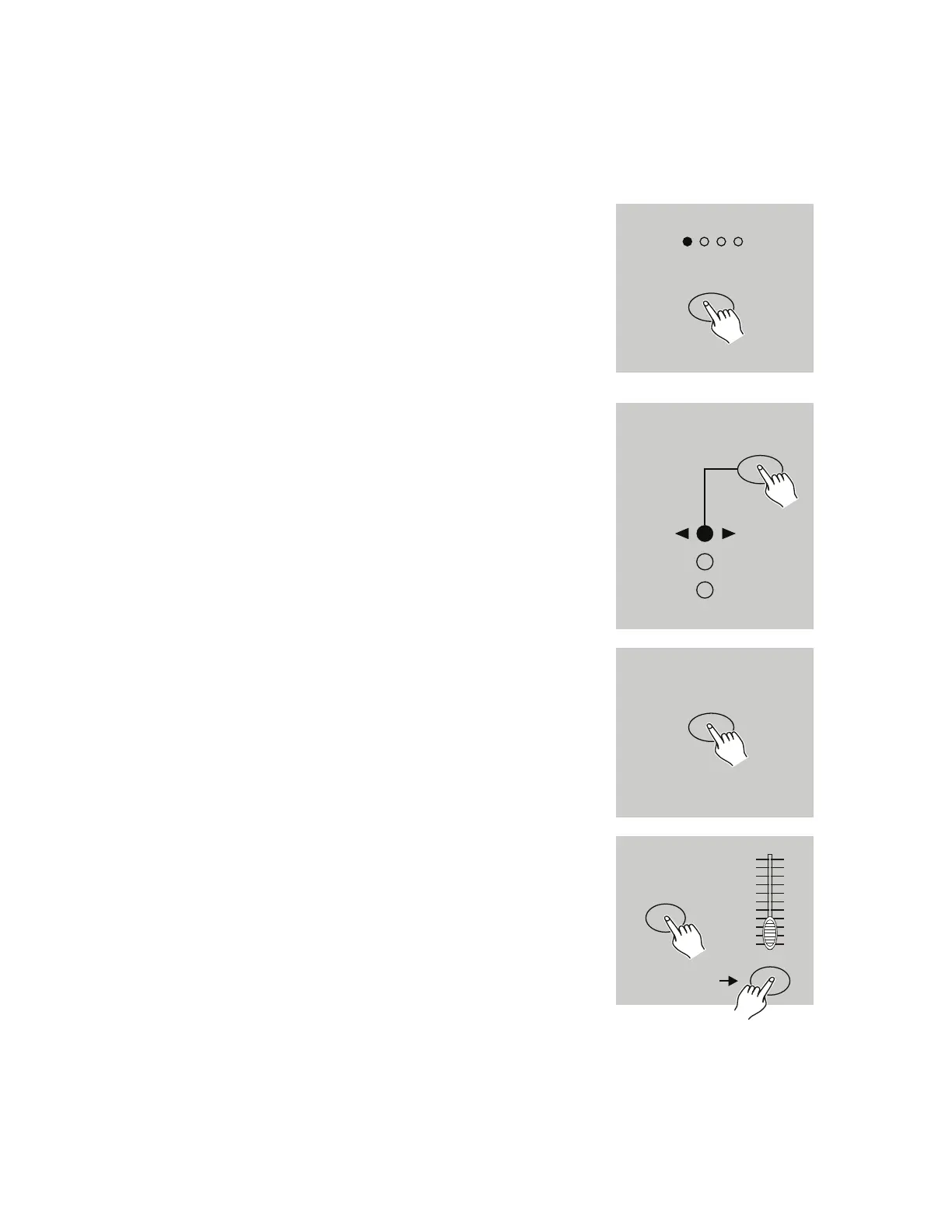
1. Activate Record Enable, as described in the Record
Enable section.
2. Use the Page button to select the page where the pro-
gram you wish to edit is located.
3. Tap the Mode Select button to select CHNS SCENES.
4. Press and hold the Edit button.
5. While holding down the Edit button, tap the Flash but-
ton that corresponds to the program that you wish to
edit.
6. Release the Edit button. The relevant scene LED
should illuminate, indicating that the device is in Edit
mode,
PAGE
1234
SELECT
MODE
CHNS
A B
DOUBLE
1-24 SINGLE
PRESET
PRESET
SCENES
EDIT
EDIT
FLASH 25-48
10
8
6
4
2
0
10
8
6
4
2
0
2. EDITING


 To Next Page