16
OPERATION GUIDE
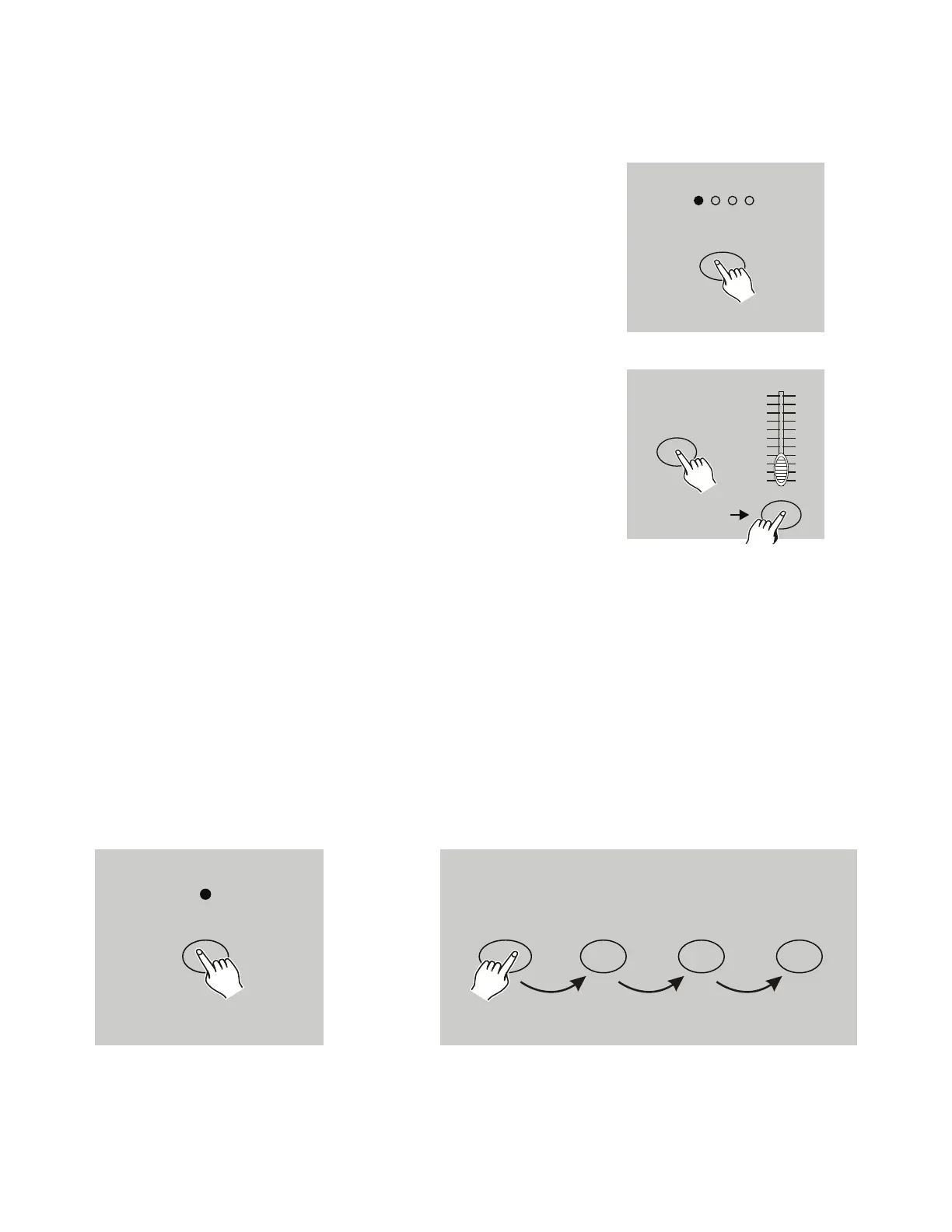
2.2 Erase a Program.
1. Activate Record Enable, as described in the Record
Enable section.
2. User the Page button to select the page where the pro-
gram you wish to erase is located.
3. Hold down the Edit button, and tap the Flash button
(25-48) twice.
4. Release both the Edit and Flash button (25-48). All
LEDs should flash to indicate the program has been
successfully erased.
PAGE
1234
EDIT
FLASH 25-48
Tap this button twice
10
8
6
4
2
0
10
8
6
4
2
0
2.3 Erase All Programs.
1. Press and hold the Record button.
2. Tap the Flash buttons 1, 4, 2 and 3 in sequence while holding the Record button. All LEDs will
flash, indicating all programs stored in memory have been erased.
RECORD
1423
+


 To Next Page