21
OPERATION GUIDE
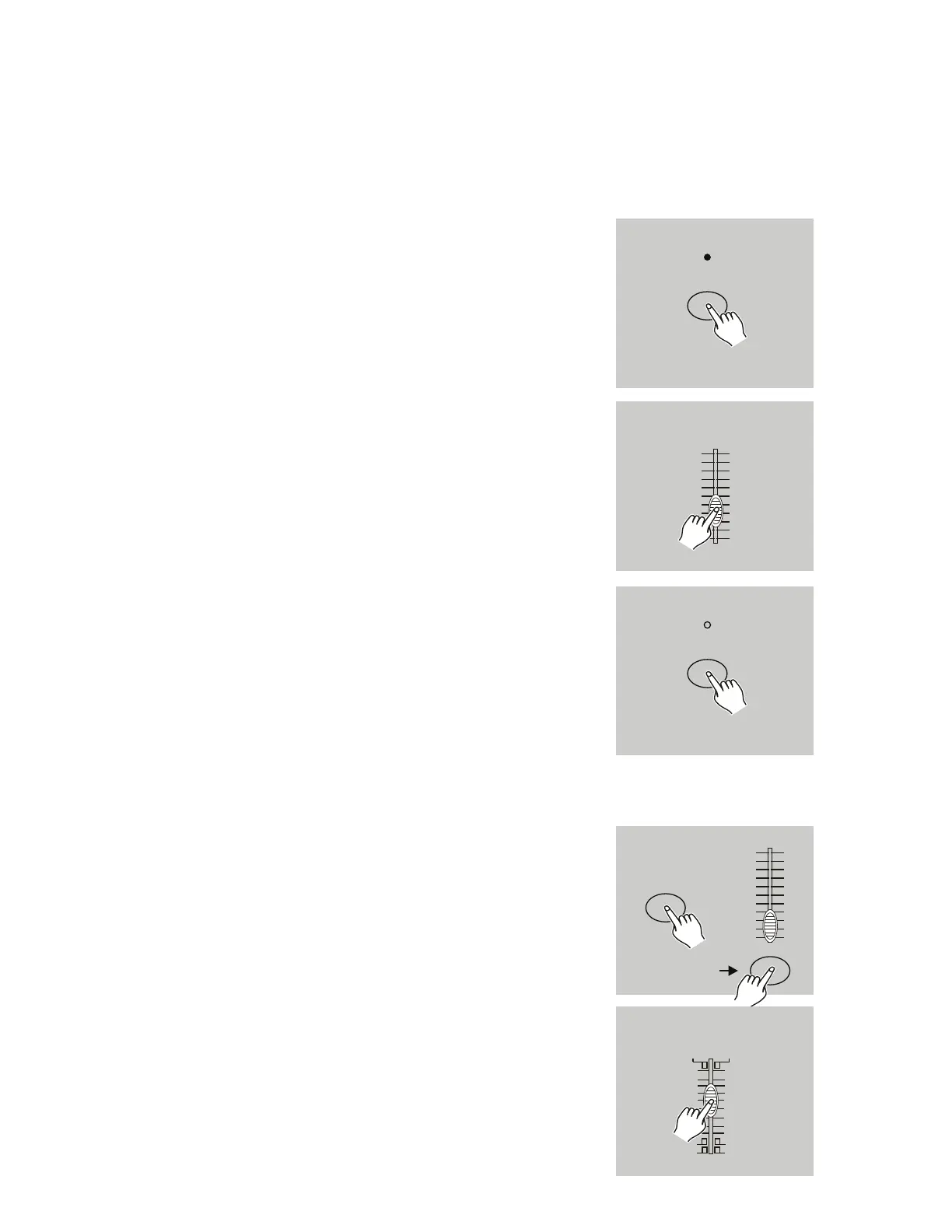
3.2 Running a Program to Audio.
1. Use built-in microphone, or plug the audio source into
the RCA Audio jack.
2. Select your program as described above.
3. Tap the Audio button. Its LED will illuminate, indicating
Audio mode is active.
4. Use the Audio Level slider to adjust the music sensitiv-
ity.
5. To return to normal mode, tap the Audio button a sec-
ond time. The Audio LED will turn off, indicated that
Audio mode has been disengaged.
AUDIO
AUDIO LEVEL
10
8
6
4
2
0
10
8
6
4
2
0
AUDIO
3.3 Running a Program with the Speed Slider.
1. Use built-in microphone, or plug the audio source into
the RCA Audio jack.
2. Select your program as described above.
3. Tap the Audio button. Its LED will illuminate, indicating
Audio mode is active.
4. Use the Audio Level slider to adjust the music sensitiv-
ity.
NOTE: Step 3 is not necessary if the selected program is
not recorded with the Standard Beat.
REC SPEED
FLASH 13-24
10
8
6
4
2
0
10
8
6
4
2
0
.2s
.2s
.5s
1s
1s 2s
2s
5s
5s
10s
10s
20s
30s
1m
1m 2m
2m
5m
5m
10m
.1 SE C .1 SE C
5MIN
10MIN
MIN S MINS
SH OW SH OW
MO DE MO DE
SP EE D


 To Next Page