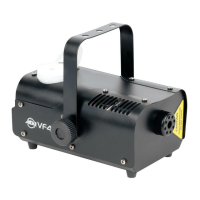
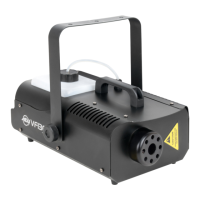
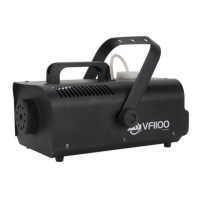
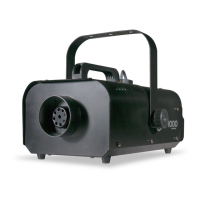
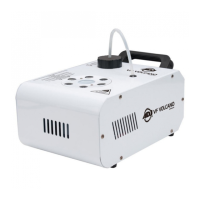
VF Volcano Description VF Volcano Wireless Remote Operation
The new VF Volcano fog machine features a fog juice level sensor. When
fog fluid resevoir has enough fog juice the LED will glow, when the fog
juice level is low, the LED will flash. When the fog juice level reaches a
lower level, a bult-in sensor inside the reservoir will automatically shut
off the pump. This will greatly expand the life of the pump. The new VF
Volcano fog machine includes a revolutionary new heating element that
has been specially designed to prevent excessive particle build up that
can cause premature fogger failure. The fog machine also includes a
wireless remote control, that can control LEDs and fog output.
Always be sure to maintain an adequate supply of American DJ
Brand Fog Juice in the fluid reservoir. Running the fog machine
dry will cause pump failure and or clogging. This is the largest
cause of failure in fog and haze machines. Only American DJ
Fog Juice is recommended and not all fog juice is created equal.
Wireless Remote Operation: Start by plugging in the machine.
The unit has a warm up time of about six (6) minutes. After the unit
has warmed up, a GREEN LED located at the rear of the unit will light
indicating the unit is ready to emit fog. To emit fog, simply press 1
of the 8 buttons on the wireless remote. If the GREEN LED is on and
fog does not come out after holding the button down for 30 seconds,
check the fluid tank and make sure you have enough fog juice.
Button 1 - Fog + Red LEDs
Button 2 - Fog + Green LEDs
Button 3 - Fog + Blue LEDs
Button 4 - Fog + Red, Green, & Blue LEDs
Button 5 - Fog + Red & Green LEDs
Button 6 - Fog + Red & Blue LEDs
Button 7 - Fog + Green & Blue LEDs
Button 8 - Fog + Red, Green, & Blue LEDs + Strobing
VF Volcano Set-Up
1. Open the shipping carton and carefully remove the unit from the
shipping carton.
2. Be sure to remove all the packing material especially around the
nozzle.
3. Set the fog machine on a flat dry surface. Fill the fog fluid reservoir
with American DJ brand fog juice only and then tighten the cap.
NOTE: The glowing red LED indicates that the reservoir has enough
fog fluid. If the red LED begins to flash, this indicates that the
machine is running low on fog fluid.
4. Plug the unit in to a matching power supply. Wait for the fogger to
reach normal operating temperature. When it has reached the
operating temperature, and is ready to fog, the green LED located
on the rear of the unit will glow.
5. Either press the fog button located on the rear or press one of the
remote buttons to emit fog. See the next page for remote operat-
ing instructions.
ADJ Products, LLC - www.adj.com - VF Volcano Instruction Manual Page 4
ADJ Products, LLC - www.adj.com - VF Volcano Instruction Manual Page 5


 To Next Page