VF400 Description VF400 Remote Operation
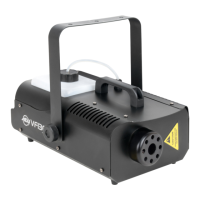
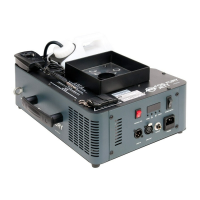
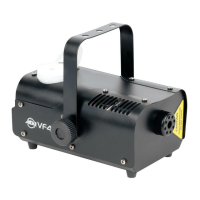
The new VF400 fog machine included a revolutionary new heat-
ing element that has been specially designed to prevent excessive
particle build up that can cause premature fogger failure. This fog
machine has a wide-angle spray nozzle and long-life pump that
was specially designed for high performance fogger output. The fog
machine also includes a remote control, that may be removed for
periods on non-use.
Always be sure to maintain an adequate supply of American DJ
Brand Fog Juice in the fluid reservoir. Running the fog machine
dry will cause pump failure and or clogging. This is the largest
cause of failure in fog and haze machines. Only American DJ
Fog Juice is recommended and not all fog juice is created equal.
Remote Operation: Start by connecting the VF400R remote to the
fog machine. Once the machine is plugged in and turned on, a red
power LED on the remote will glow indicating the unit is receiving
power. The unit has a warm up time of about five (5) minutes. After
the unit has warmed up, a GREEN LED on the remote will light indi-
cating the unit is ready to emit fog. To emit fog, simply press the but-
ton on the remote for desired length of time. If the GREEN LED is on
and fog does not come out after holding the button down for 30 sec-
onds, check the fluid tank and make sure you have enough fog juice.
Caution: Before removing or replacing the remote control unit
disconnect the power supply.
VF400 Set-Up
1. Open the shipping carton and carefully remove the unit from the
shipping carton.
2. Be sure to remove all the packing material especially around the
nozzle.
3. Set the fog machine on a flat dry surface. Locate the included
bracket from the package and install it using the supplied hard-
ware to the side casing. Note: The bracket is an optional accesso-
ry and may not be used if desired, however if you intend to sus-
pend the unit from truss the bracket must be used.
4. Fill the fog fluid reservoir with American DJ brand fog juice only
and then tighten the cap.
5. Firmly attach the remote control unit to the rear remote control
socket on the unit.
6. Plug the unit in to a matching power supply. At this time the red
LED on the remte control will glow indicating that fogger is heating
up. Wait for the fogger to reach normal operating temperature.
When it has reached the temperature, and is ready to fog, the
green LED on the remote will glow. The red LED will remain on at
the same time.
7. Press the remote button to emit fog.
8. Follow the operating instructions on the next page for remote
operation.
ADJ Products, LLC - www.adj.com - VF400 Instruction Manual Page 4
ADJ Products, LLC - www.adj.com - VF400 Instruction Manual Page 5


 To Next Page