297
ADOBE AUDITION
User Guide
Note: Even if you do 16-bit pre-mixing, no data is lost, and a final mixdown can still be 32-bit.
Panning This section sets the method used for panning waveforms in a multitrack session.
• L/R Cut Logarithmic: If this option is chosen, left-panning is achieved by reducing the volume of the right channel,
and right-panning is performed by reducing the left channel volume. The channel being panned to doesn’t increase
in volume as panning gets closer to 100%.
• Equal-power Sinusoidal: Choose this option to pan left and right channels with equal power, so a hard pan left will
contain the same loudness as both channels together. This results in an increase of 3dB RMS on the channel being
panned to when at 100%.
Note: Because panning can actually make one channel louder than the original waveform, audible clipping can occur in 16-
bit sessions. To avoid this, work in the 32-bit realm if you’re using the Equal-power Sinusoidal panning method.
Set As Default If you’ve changed the Pre-mixing and/or Panning settings, press this button to have Adobe Audition
remember them as the default settings.
Note: Adobe Audition’s default settings for Multitrack View are under the Multitrack tab of Options > Settings.
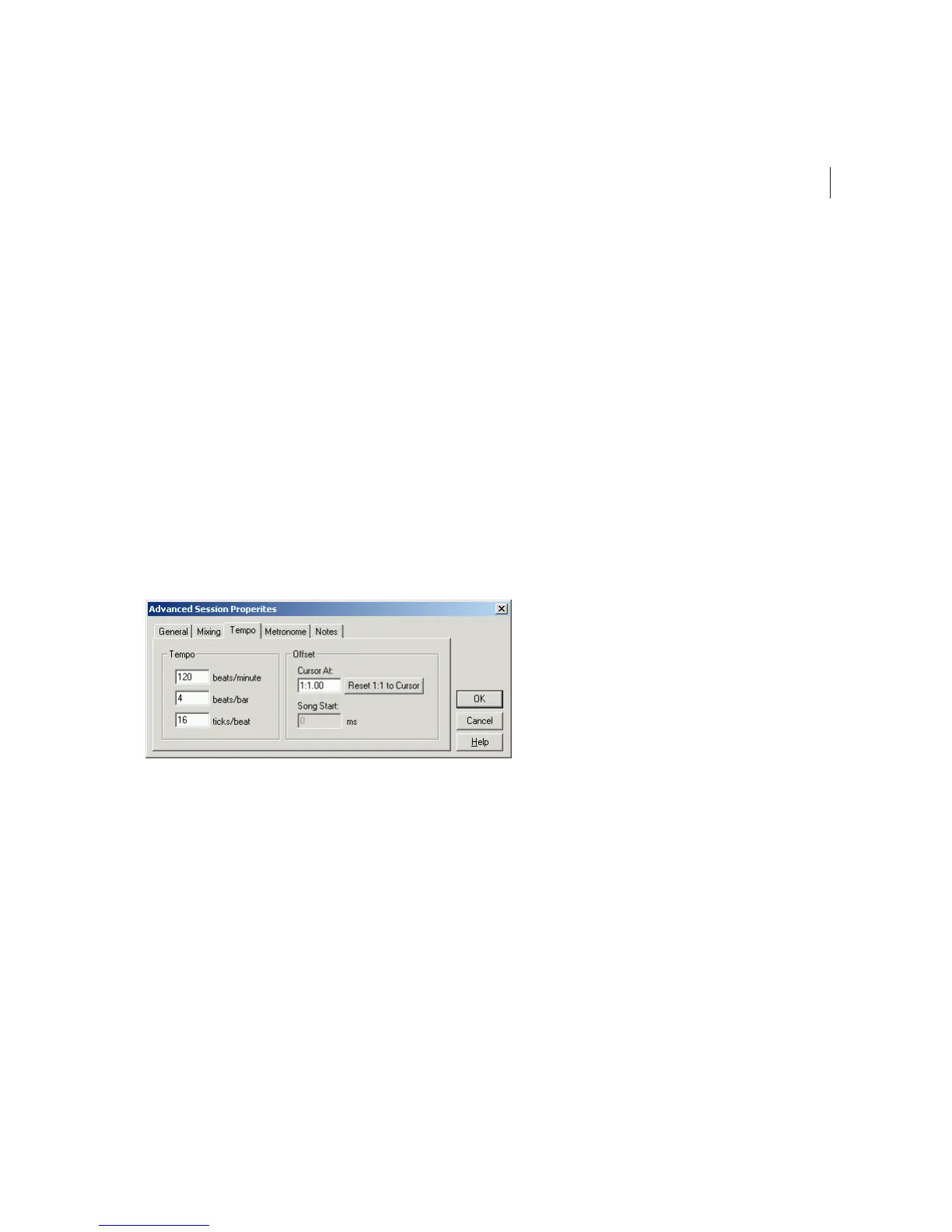
Tempo Tab
The Tempo tab of the Advanced Session Properties window
Tempo The tempo of the session is specified here. Any loops that have a tempo specified will be time-stretched to match
the session’s tempo. The time-stretch method used is determined by the individual loop’s settings. If you need more
detailed tempo settings, right-click on the horizontal ruler in Adobe Audition’s Session Display.
• Beats/minute: Enter the number of beats-per-minute here.
• Beats/bar: Input the desired number of beats-per-bar in this field.
• Ticks/beat: This field is where you can specify the amount of ticks-per-beat.
Offset Choose from the following:



 To Next Page