What is Pixelpoint technology?
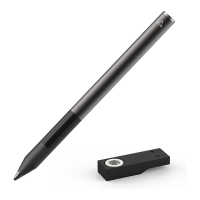
Pixelpoint™ is Adonit''s fine point stylus tip technology. It supports a 1.9 mm Fine Point tip with
reliably accurate on-screen results. A Bluetooth connection helps your favorite Adonit
Connected Apps more precisely detect where the tip of the stylus touches the screen, and delivers
additional features.
How long is the charge time for the Pixel? How long will the battery last?
Charge time: 1 hour
Battery: 14 hours of use
Can I use Pixel with the Apple Pencil?
Unfortunately, the Apple Pencil can cause interference if it''s connected while you''re using the
Pixel. To avoid this, you''ll want to disconnect your Apple Pencil in the iPad''s Bluetooth settings
before pairing the Pixel.
How do I turn on and pair Pixel?
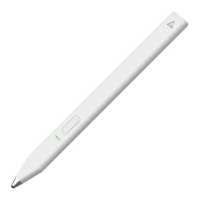
Turn your Adonit Pixel stylus ON by holding down the black button closest to the tip until a
green light shows increasing in brightness and then goes off; your Pixel is now turned on and
ready to pair.
We've simplified the process of pairing your Pixel to your favorite apps, to allow easy access to
pressure sensitivity and other Bluetooth features. While it can vary from app to app, you will
typically need to enable stylus support in the settings section of the app you are using. You
should then be able to follow on-screen instructions provided by the app. For more information
and instructions, view the apps listed on our Pixel page.
Some iPads and iPhones cannot connect with more than 4 Bluetooth devices. If 4 devices
are already paired, Pixel will not Bluetooth pair until another device is removed.
Some iPads and iPhones cannot connect with more than 4 Bluetooth devices. If 4 devices are
already paired, Pixel will not Bluetooth pair until another device is removed.
Go into your Bluetooth setting. Select a Bluetooth connected device to remove and click
"Forgot this device".


 To Next Page