IF1000 series 17
© ads-tec GmbH • Heinrich-Hertz-Str. 1 • D-72622 Nürtingen
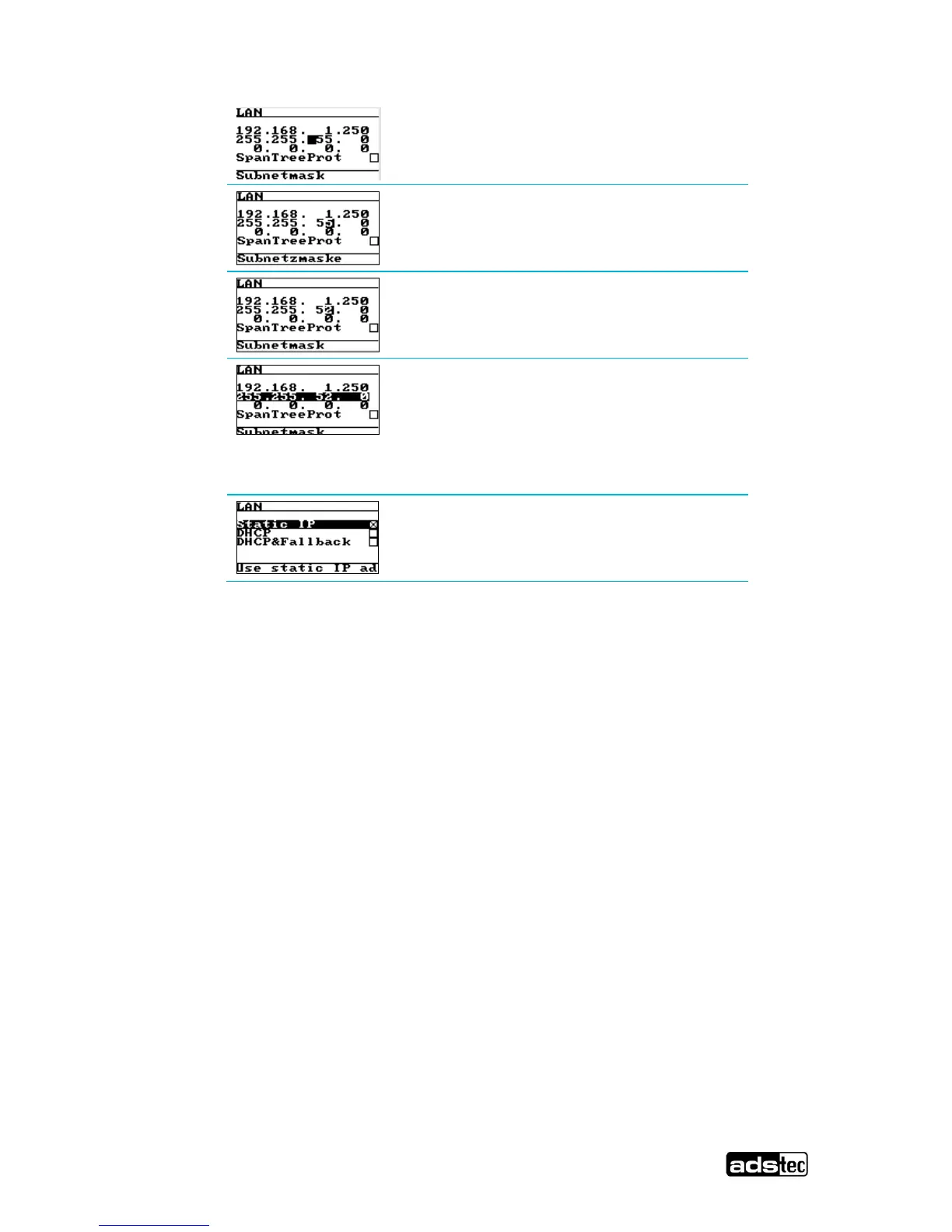
Press the DOWN direction arrow key twice
-> Change on the space
Press the RIGHT direction arrow key twice
-> The input focus will be active on the 5
Press the DOWN direction arrow key three times
-> Change to 2
Now press ENTER to confirm all the changes to the
first line in the input mode.
-> The overall IP is highlighted
The text message “Please wait” will come up on
display whilst the data is being stored. If the input
mode is exited by pressing ESC, the changes are
overruled/ abandoned.
Press the ESC key to exit this menu. All the
changes entered have been duly stored.


 To Next Page