Nero SoundTrax Working with Nero SoundTrax • 20
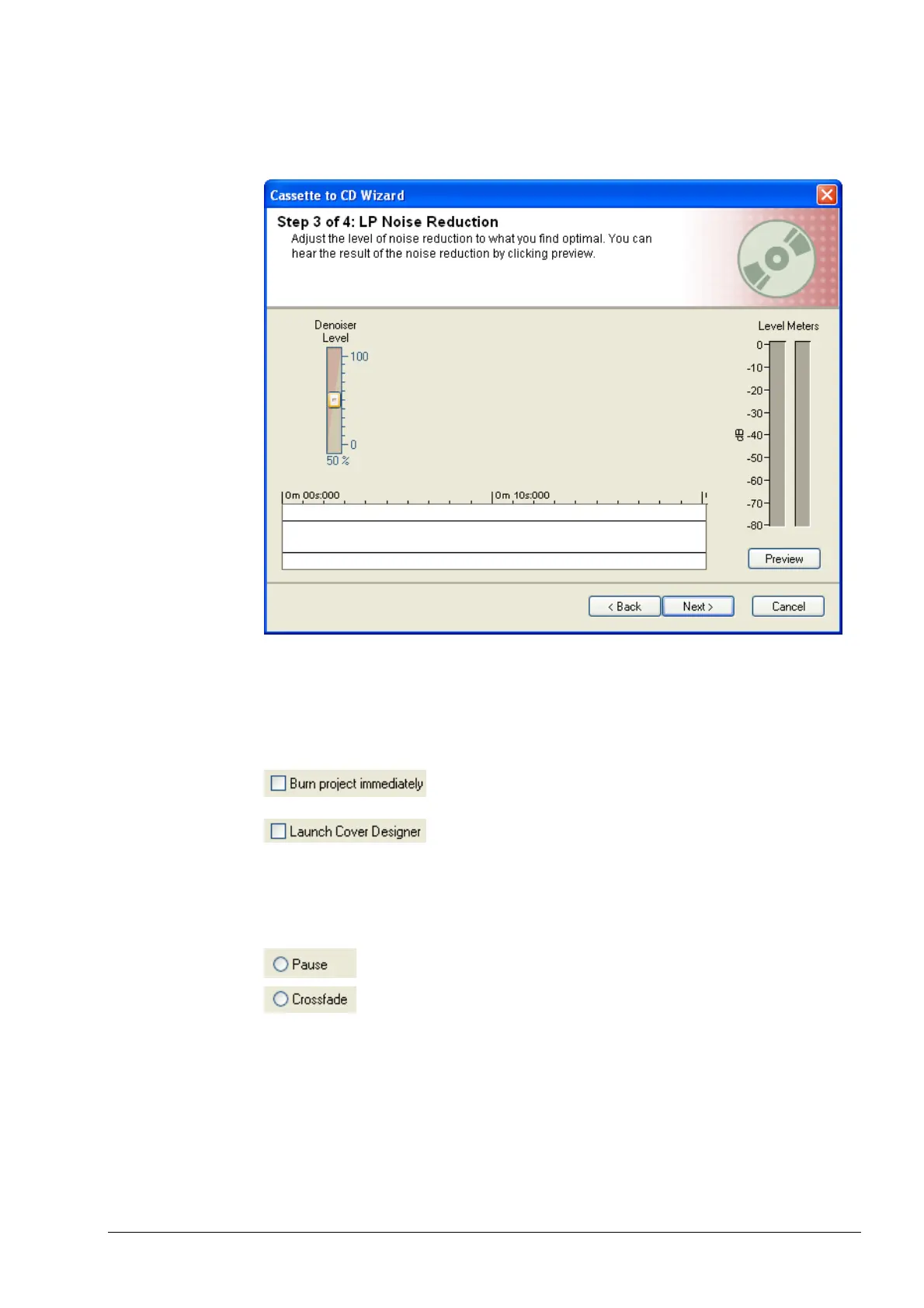
4. Use the slider to specify the level of the noise suppression filter (Denoiser).
Click on the 'Preview' button to play the recording and see if you are happy
with the results.
5. Finally define which action(s) are to be carried out and click on the ‘Finish’
button to start these actions and close the window.
Highlight the required checkbox if files are to be burnt and/or Nero Cove
Designer is to be started.
Open a window in which the burn settings are
selected.
Start the Nero Cover Designer.
Highlight the required options field according to whether you want a pause
between tracks or whether you want tracks to crossfade. Both options allow you
to specify the relevant length in seconds and milliseconds.
This pastes a pause in between the tracks.
Enables crossfading of tracks.


 To Next Page