signal sources
Due to the wide input level adjustment range, all a/d/s/ PowerPlates™ can be driven with either a
conventional preamplifier drive signal or the amplifier signal from a powered source unit. This makes the
PowerPlate™ perfect for upgrading an OEM (Original Equipment Manufacturer) stereo system while
retaining the factory installed radio.
Because of the high impedance of the a/d/s/ input stage, the factory radio drives an easy load. This ensures
lower distortion levels than if it was driving speakers or a Line Output Converter accessory. As a result, a
high quality factory installed radio can deliver high quality sound that is nearly as good as the sound from
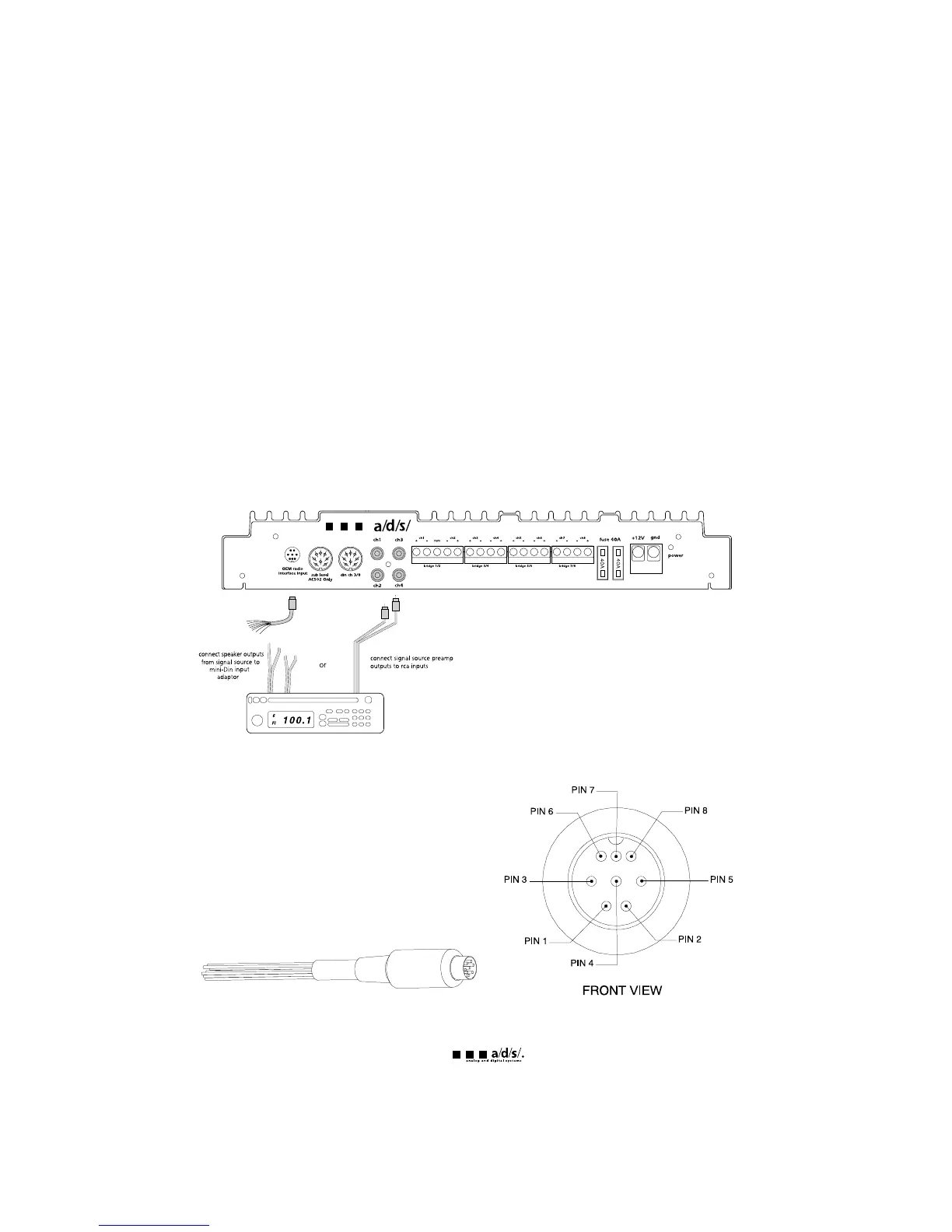
a high-end aftermarket source unit. The speaker outputs of the factory radio are simply connected to a
mini-DIN adapter as shown below. From this point on, the signal can be treated exactly as you would a
preamp-level signal, except that the input level controls on the PowerPlate™ will be set to a lower than
usual level when you make your final adjustments.
Conventional aftermarket sources may be connected using standard shielded RCA cables from the source
unit’s preamp outputs to the PowerPlate™ inputs.
Note: When using 4 channels of input, be sure to configure the 2ch/4 ch input switch to 4ch
input. Failure to do so may result in damage to the source unit.
Pin Wire Color Connects to Head Unit
1 gray front right +
2 violet/black rear right -
3 white front left +
4 gray/black front right -
5 white/black front left -
6 green rear left +
7 green/black rear left -
8 violet rear right +
13



 To Next Page