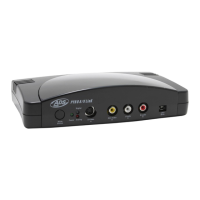
6 Pin 1394/FireWire connection
Use the supplied 6 pin to 6 pin cable to connect the A/V Link to your PC or Mac.
In a non-computer – analog to DV conversion setting, use the 6 pin cable to
connect to another device.
Right and Left RCA Audio Outputs
Use the supplied A/V cables to connect audio outputs to your TV or video tape
recording device.
Video Out (RCA)
Use the supplied A/V cables to connect the RCA Video output to your TV or video
tape recording device.
S-VHS Out (Y/C 4 Pin Din)
Use the supplied S-VHS cable to connect the video output to your TV or video
tape recording device.
More about Video Outputs
You may have both RCA and S-VHS connected and outputting video
simultaneously. You can also use the outputs to preview video on a TV monitor
during DV editing or during analog video capture.
Component Video
The Red, Green and Blue component video jacks allow for input of video from a
component source. You can also connect a composite synch cable to the RCA
Video input to allow for composite synch.
On/Off
Power On/Off switch
Power Jack - 5VDC input
This is a self powered device, meaning the unit will function only when power is
applied. Use only the power supply included with PYRO A/V Link to power this
device.


 To Next Page