PYRO A/V LINK 33
Using Video Studio Software
How VideoStudio works
VideoStudio follows a step-by-step paradigm
so that editing tasks remain uncomplicated
from start to nish. VideoStudio also of-
fers more than a hundred transition effects,
professional titling capabilities and simple
soundtrack creation tools. Learn in seconds,
create in minutes.
VideoStudio breaks up your movie into sepa-
rate tracks, giving you broad creative free-
dom. Changes to one track do not affect others.
After transferring footage from your cam-
corder, you can arrange scenes, apply spe-
cial effects, overlay images, add animated
titles, sync in a voiceover narration, and use
background music from your favorite CDs in
formats such as WAV and MP3. All these can
be done using drag-and-drop, cut-and-paste,
or select-and-apply operations.
All the tracks in your movie are then orga-
nized into a video project le (*.VSP), which
contains all the video and audio information
on how your movie is put together.
When everything is all set to go, your com-
puter collects all information needed to cre-
ate your nal movie le. This process is called rendering.
You can then output and distribute your movie as a DVD/VCD/SVCD title,
streaming Web page video, or an e-mail attachment. You can also record your
movie back to your camcorder or VCR.
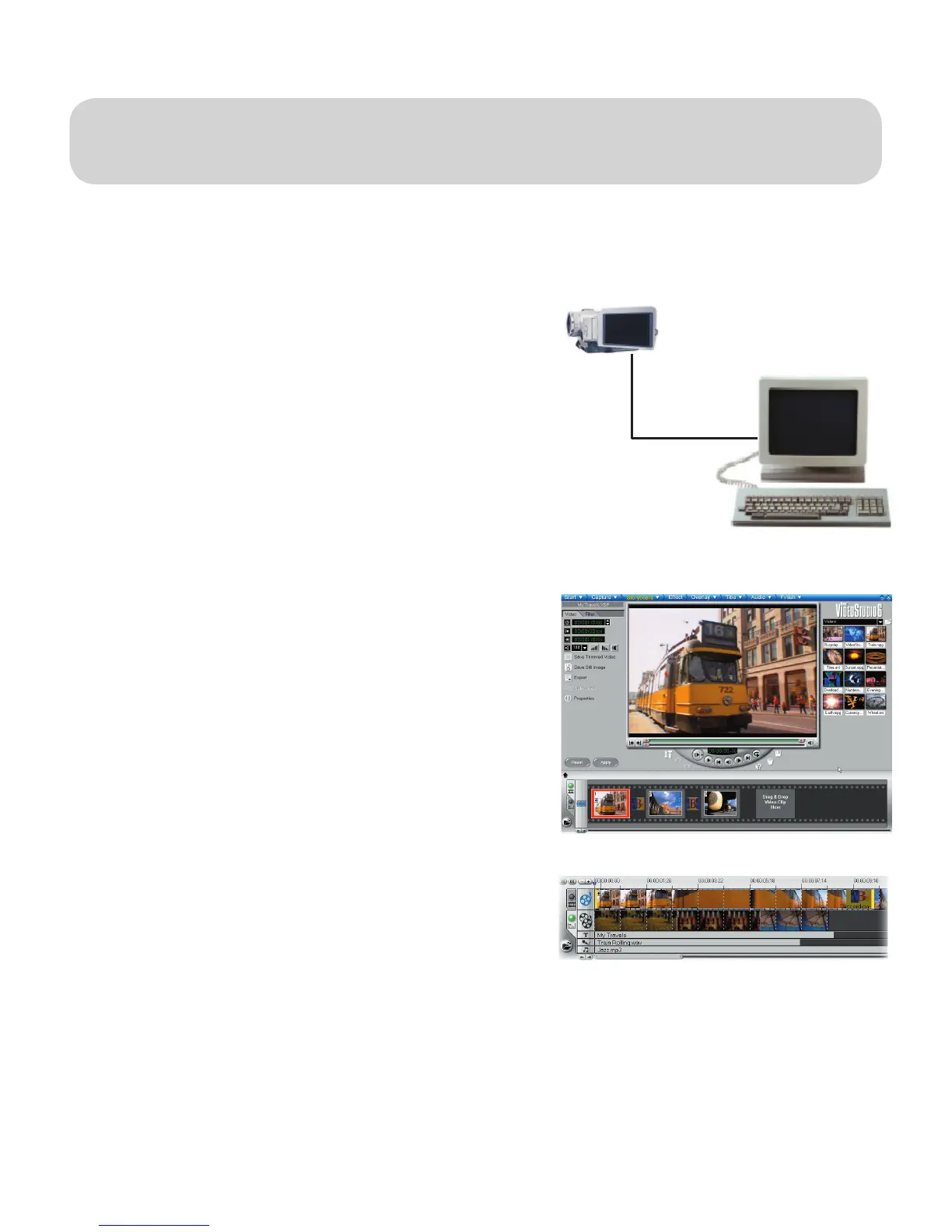
Components of a nished project as displayed in
Timeline Mode
Footage can be captured from
your camcorder and digitized
for editing in your PC
The VideoStudio workspace


 To Next Page