PYRO A/V LINK 57
Using A/V Link with
AVID Xpress DV 3.5
Capturing Video with AVID Xpress DV 3.5
1. Make sure the PYRO A/V
Link is already connected via
rewire to your computer.
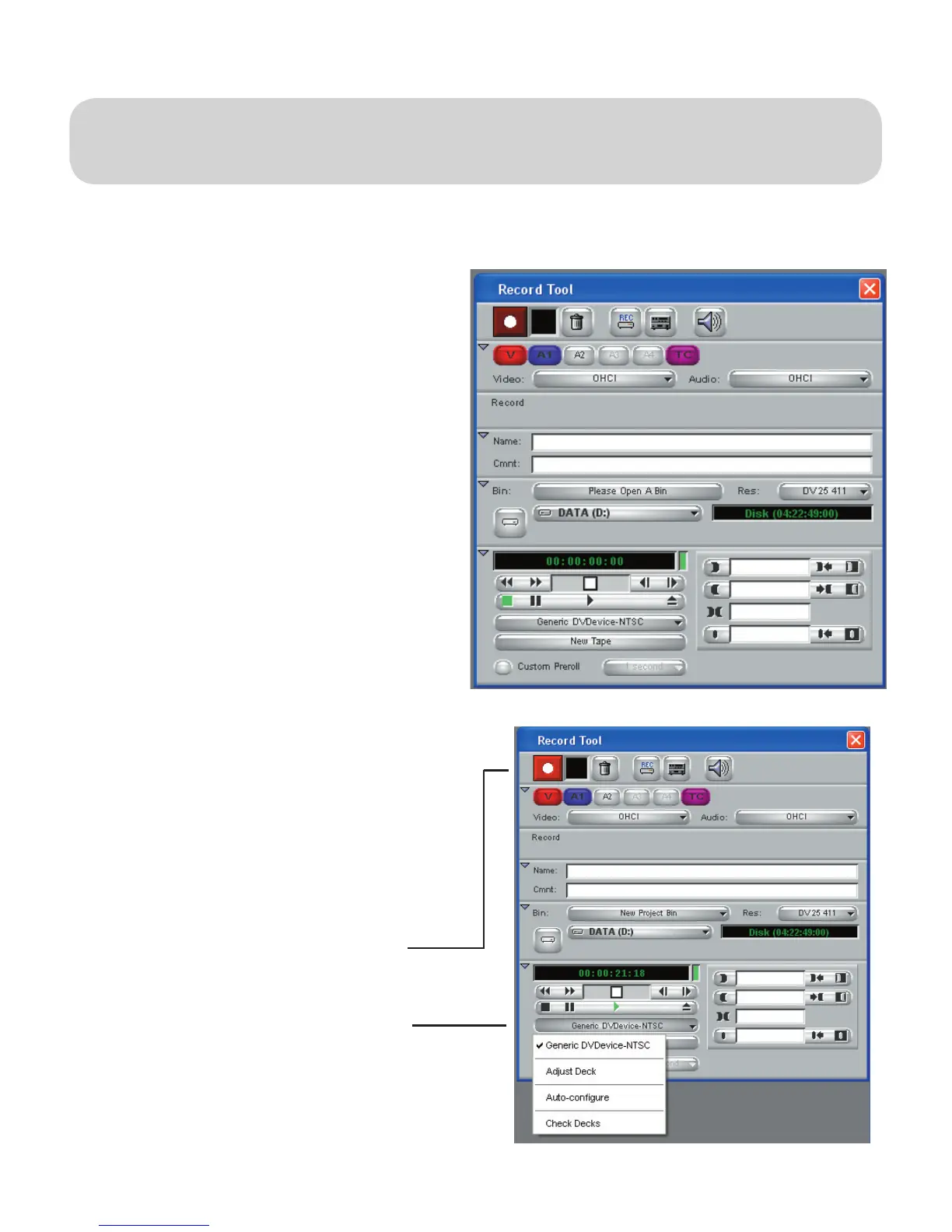
2. Run AVID Xpress DV 3.5,
on the upper left part of
the screen you will see the
RECORD TOOL Window.
3. PYRO A/V Link should be
recognized as a GENERIC
DVDevice – NTSC (PAL if
your converting analog PAL
signals to DV)
4. If the PYRO A/V Link is not
detected, click on the button
illustrated below and click auto-
congure.
5. To start capture, click on the
RECORD Button
Record
Generic DV Device


 To Next Page