Capturing Video with Adobe Premiere 6.5
1. Make sure the PYRO A/V Link is already
connected via rewire to your computer.
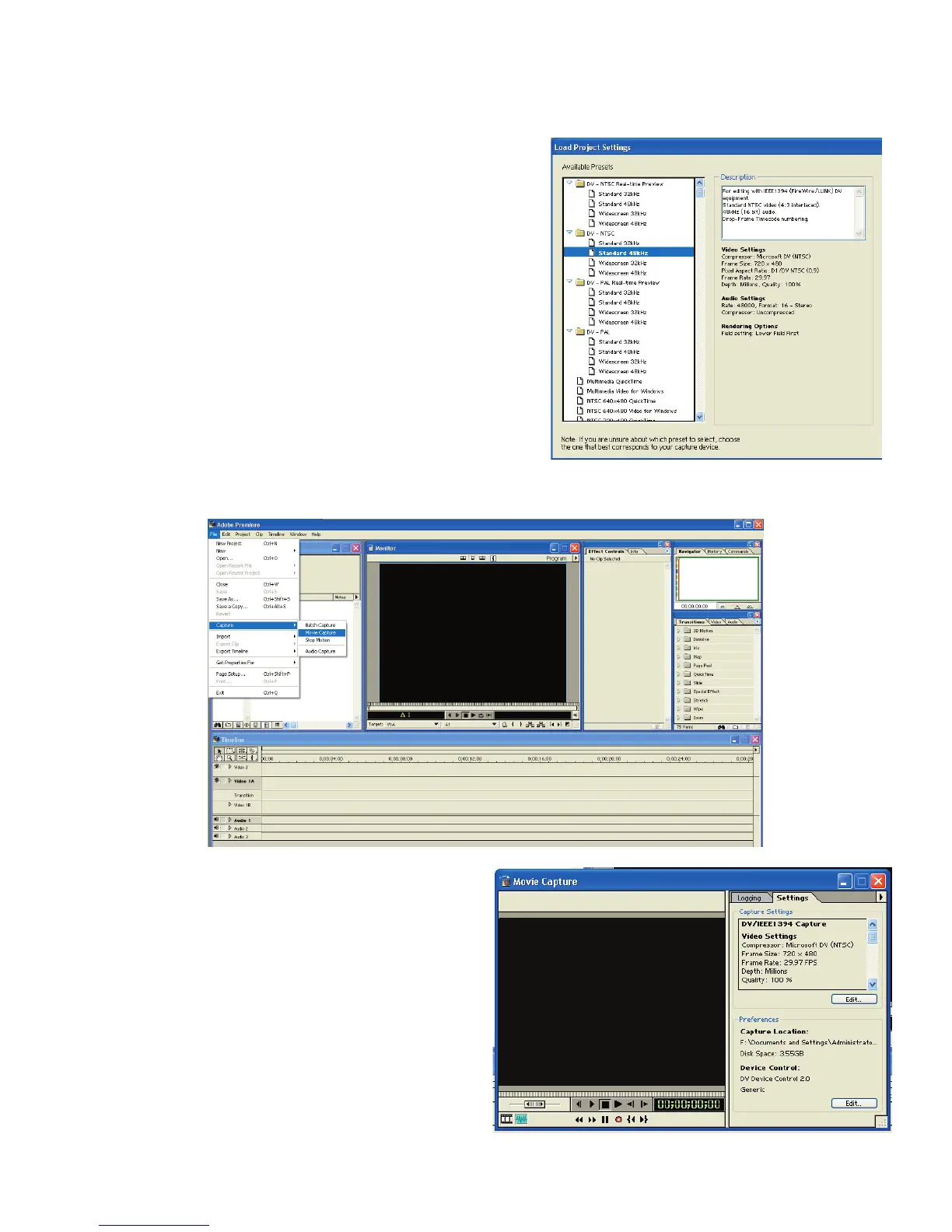
2. Run Adobe Premiere and select your
PROJECT SETTINGS.
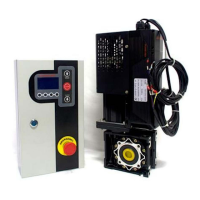
3. Click FILE / CAPTURE / MOVIE CAPTURE
4. The PYRO A/V Link should be
recognized at this point as a
GENERIC Device, press PLAY to
preview or the RED Record Button
to start recording.


 To Next Page