Capturing Video with Final Cut Pro
1. Make sure the PYRO A/V Link is
already connected via rewire to
your computer.
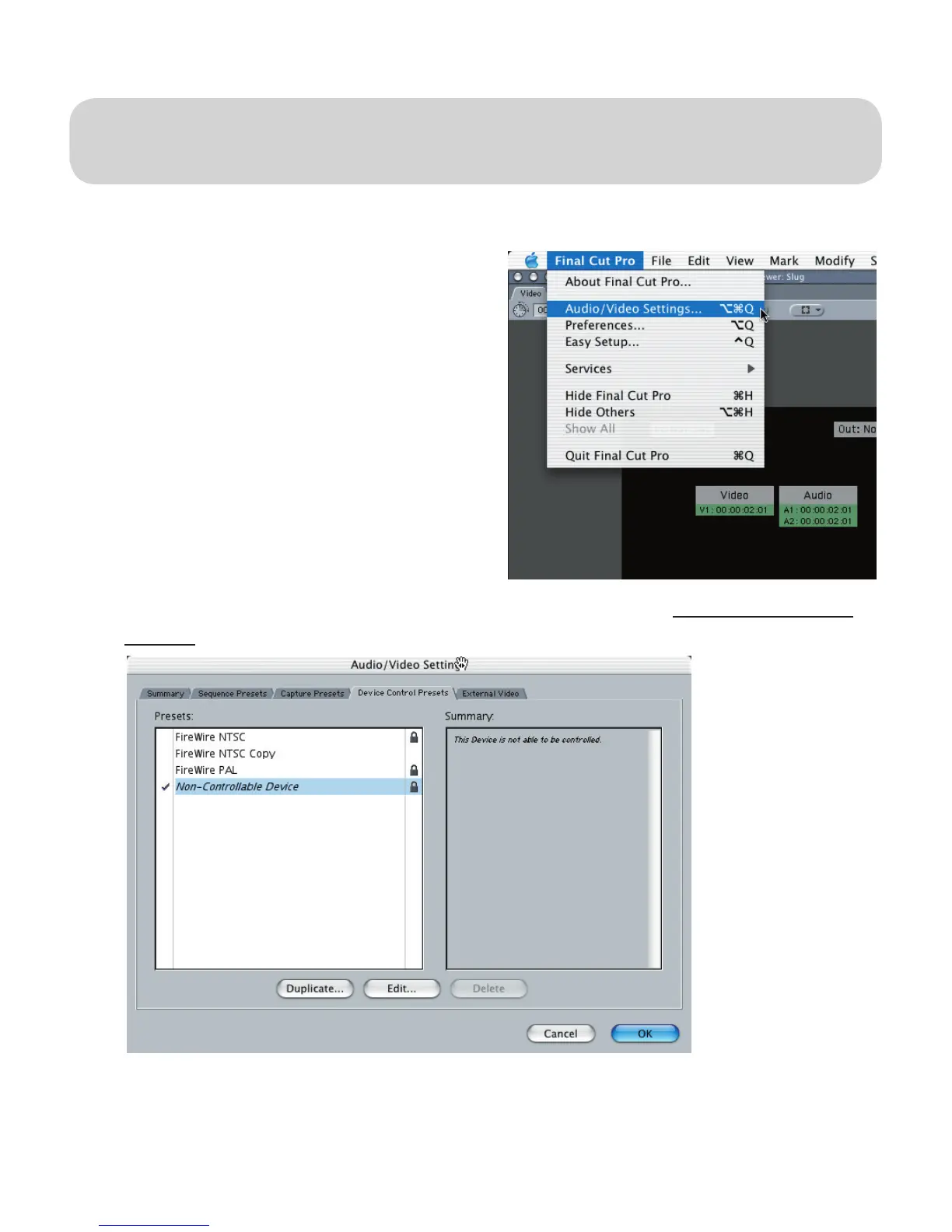
2. Click on FINAL CUT PRO / Audio/
Video Settings
3. Select the DEVICE CONTROL PRESETS TAB, Hilite Non-Controllable
Device Click OK.
4. To capture video, click on FILE / LOG AND CAPTURE, Select your
CAPTURE Settings and start capturing video like you would capture a
DV Camcorder
Using A/V Link with
Final Cut Pro


 To Next Page